RGB LED Module

SKU: DFR0124

The RGB LED Module is an Arduino-compatible device utilizing three TLC5940 PWM LED chips to drive a 4x4 array of RGB LEDs, with each color controlled by a separate chip, allowing for current adjustments via reference resistors, enabling manual connections for custom Arduino sketches.

Angled shot of resistors and capacitors for RGB LED Module assembly.-DFRobot product sku:DFR0124 image.
  • Docs
  • Tech Specs
  • 1. Example Code for Arduino-LED Color Tuning and Fading

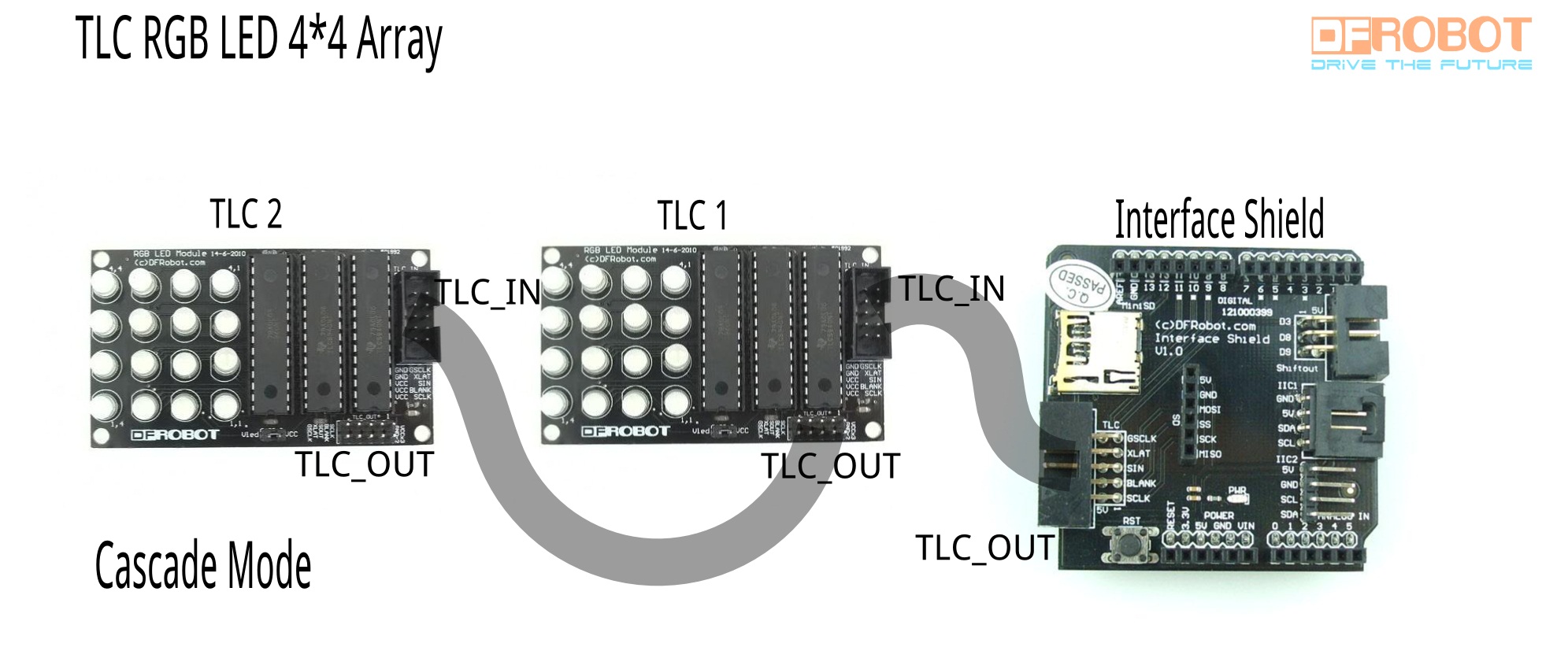
    This article presents example code and tips for tuning and fading LED colors using Arduino, including potentiometer connections and TLC microcontroller configurations for cascading LED modules.

    2. Example Code for Arduino-Pattern Animation and Rolling

    The article offers a detailed guide on using Arduino for pattern animation and rolling effects with RGB LED modules. It includes hardware setup, wiring diagrams, and sample code, allowing users to create dynamic and visually appealing animations on their Arduino projects. The tutorial also covers manipulating channels and colors through code, making it a valuable resource for those looking to enhance their Arduino projects with creative LED displays.

    Reference

    This article offers a comprehensive guide on serially linking modules for Arduino projects using TLC and PWM outputs, including assembly instructions, connection methods, and setup details for resistors and digital pins.

    Specification

    Parameter Details
    Channels 16 Channels
    Grayscale PWM Control 12 bit (4096 Steps)
    Dot Correction 6 bit (64 Steps); Storable in Integrated EEPROM
    Drive Capability (Constant-Current Sink) 0 mA to 60 mA (VCC < 3.6 V); 0 mA to 120 mA (VCC > 3.6 V)
    LED Power Supply Voltage up to 17 V
    VCC 3 V to 5.5 V
    Interface Serial Data Interface
    In-Rush Current Controlled
    Data Transfer Rate 30MHz
    I/O Level CMOS Level
    Error Information LOD: LED Open Detection The LED open detection; TEF: Thermal Error Flag

    Pinout

    connection diagram for Romeo

    ARDUINO ARDUINO u u u u
    13 -> SCLK (pin 25) OUT1 1 28 OUT channel 0
    12 OUT2 2 27 -> GND (VPRG)
    11 -> SIN (pin 26) OUT3 3 26 -> SIN (pin 11)
    10 -> BLANK (pin 23) OUT4 4 25 -> SCLK (pin 13)
    9 -> XLAT (pin 24) . 5 24 -> XLAT (pin 9)
    8 . 6 23 -> BLANK (pin 10)
    7 . 7 22 -> GND
    6 . 8 21 -> VCC (+5V)
    5 . 9 20 -> 2K Resistor -> GND
    4 . 10 19 -> +5V (DCPRG)
    3 -> GSCLK (pin 18) . 11 18 -> GSCLK (pin 3)
    2 . 12 17 -> SOUT
    1 . 13 16 -> XERR
    0 OUT14 14 15 OUT channel 15

    Was this article helpful?

    TOP