
Using the LCD with your Raspberry Pi
Last revision 2026/01/20
Download LCD drivers: LCD Driver by waveshare (need network when installing)
- Copy LCD driver onto the USB disk.
- Insert the USB disk into the USB host on your Raspberry Pi
- Copy the LCD drivers into the Pi's filesystem, e.g /home/pi
- Open a terminal and use the cd command to navigate to the directory where the driver is
e.g. if the directory is "/home/pi" then you need to use the command "cd /home/pi"
-
Install 7zip
sudo apt-get install p7zip-full -
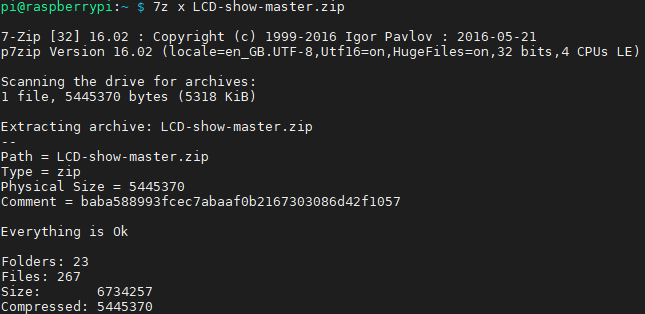
Unzip LCD-show-master.zip
7z x LCD-show-master.zip
-
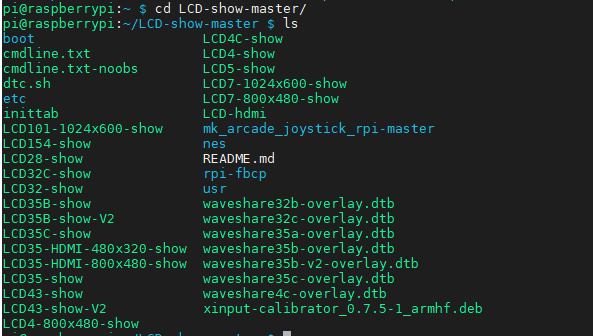
Enter the LCD-show directory
cd /home/pi/LCD-show-master
ls
-
Install driver
sudo ./LCD35-show
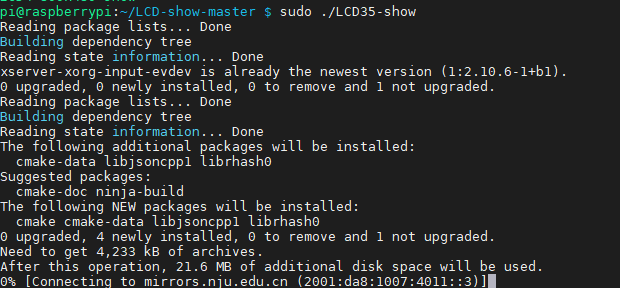
After you run the command, the system will automatically restart and switch to the LCD display.

Restore Output to HDMI
cd /home/pi/LCD-show/
sudo ./LCD-hdmi
When using the LCD display driver be sure to power off the system using software rather than switching the power off abruptly to avoid damage to the LCD.
Was this article helpful?