
Example Code for Arduino-Read Sensor Data via Serial
This article offers a comprehensive guide on reading sensor data using Arduino through serial communication, including hardware and software requirements, wiring diagrams, sample code, and debugging techniques with SSCOM32.
Hardware Preparation
- DFRduino UNO R3 + Gravity IO Expansion Shield (or similar) x 1
- Gravity: Active isolation type RS485 to UART signal transfer module ×1
- RS485 device ×1
Software Preparation
- Arduino IDE
- SSCOM32 serial port debugging tool
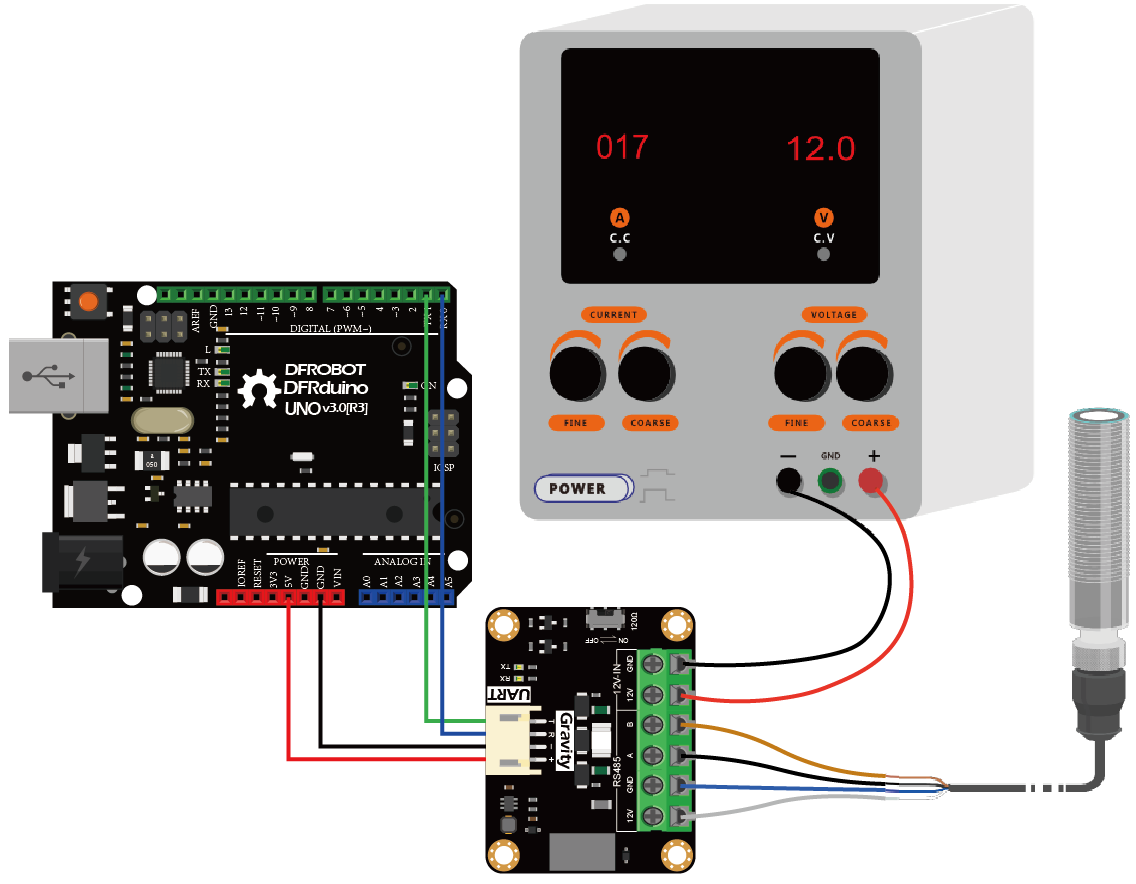
Wiring Diagram
Other Preparation Work
Connect the module and Arduino Leonardo according to the connection diagram above. Of course, you can also use it with Gravity I/O Expansion Board, which can complete the project prototype more conveniently and quickly.
Sample Code
void setup() {
//Communicate with PC through USB to UART, use Serial to call
Serial.begin(9600);
//Use Serial1 to call the serial UART of TXD and RXD marked on the development board
Serial1.begin(9600);
}

void loop() {
  if (Serial.available())
    Serial1.write(Serial.read());
  if (Serial1.available())
    Serial.write(Serial1.read());
}
Result
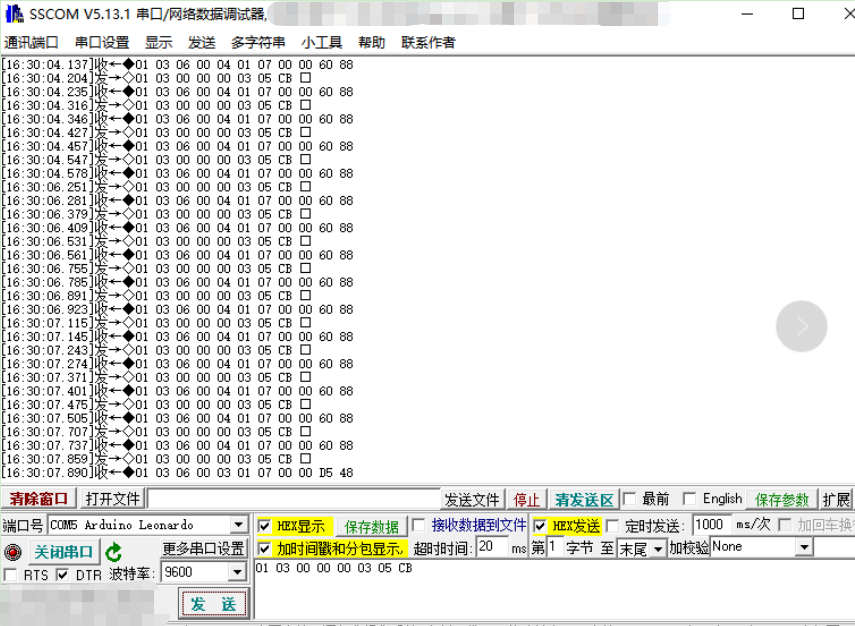
Open the SSCOM32 serial port data debugger, send the Hex command, and get the data feedback.
Additional Information
- If the power supply requirement of the RS485 device is greater than 12V-160mA, 12V external power supply is required.
- This product does not support hot pluggable.
Was this article helpful?