
Getting Started
Last revision 2025/12/29
This guide offers step-by-step instructions for installing a HID-UPS protocol setup compatible with LattePanda Iota, including essential components, installation steps, and critical connection tips.
Communication Protocol Description
Uses standard HID-UPS protocol — no drivers needed.
Important Notes
- On first use: Connect external power via Type-C or DC input to activate the board.
- Integrated battery protection IC supports flat-top 18650 cells.
- Batteries NOT included due to shipping regulations.
- Windows 10 / 11 ONLY supported.
- Compatible ONLY with LattePanda Iota.
Required Components
- LattePanda 18650 UPS Expansion Board ×1
- 10-Pin Cable ×1 (included)
- 3.7V 18650 Li-ion Battery ×3 (not included)
- LattePanda Iota ×1 (not included)
- Type-C PD or DC Power Adapter (≥36W) ×1 (not included)
Installation Steps
-
Power Off
Disconnect all power from the LattePanda. -
Install Batteries
Insert three 3.7V 18650 batteries into the slots (observe polarity).Use high-quality cells (≥3000mAh recommended).
-
Connect to LattePanda
Attach the 10-pin cable between the UPS board and LattePanda.Align the notch on the cable with the socket groove (foolproof design).
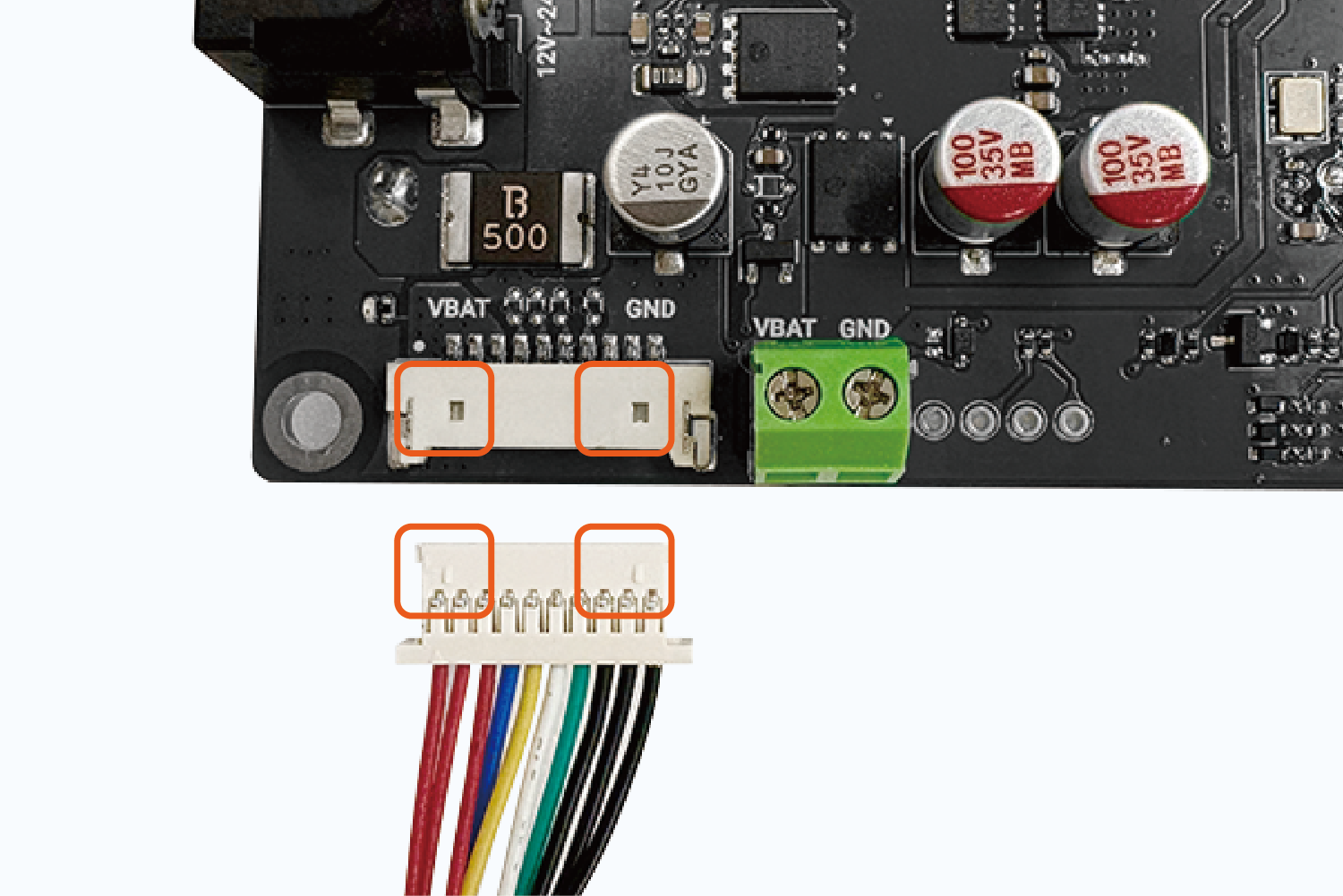
-
Power On & Activate
- Verify all connections (polarity and cable seating).
- On first use: Connect external power via Type-C or DC input to activate the board.
- Press the LattePanda power button. The UPS and board LEDs should illuminate.
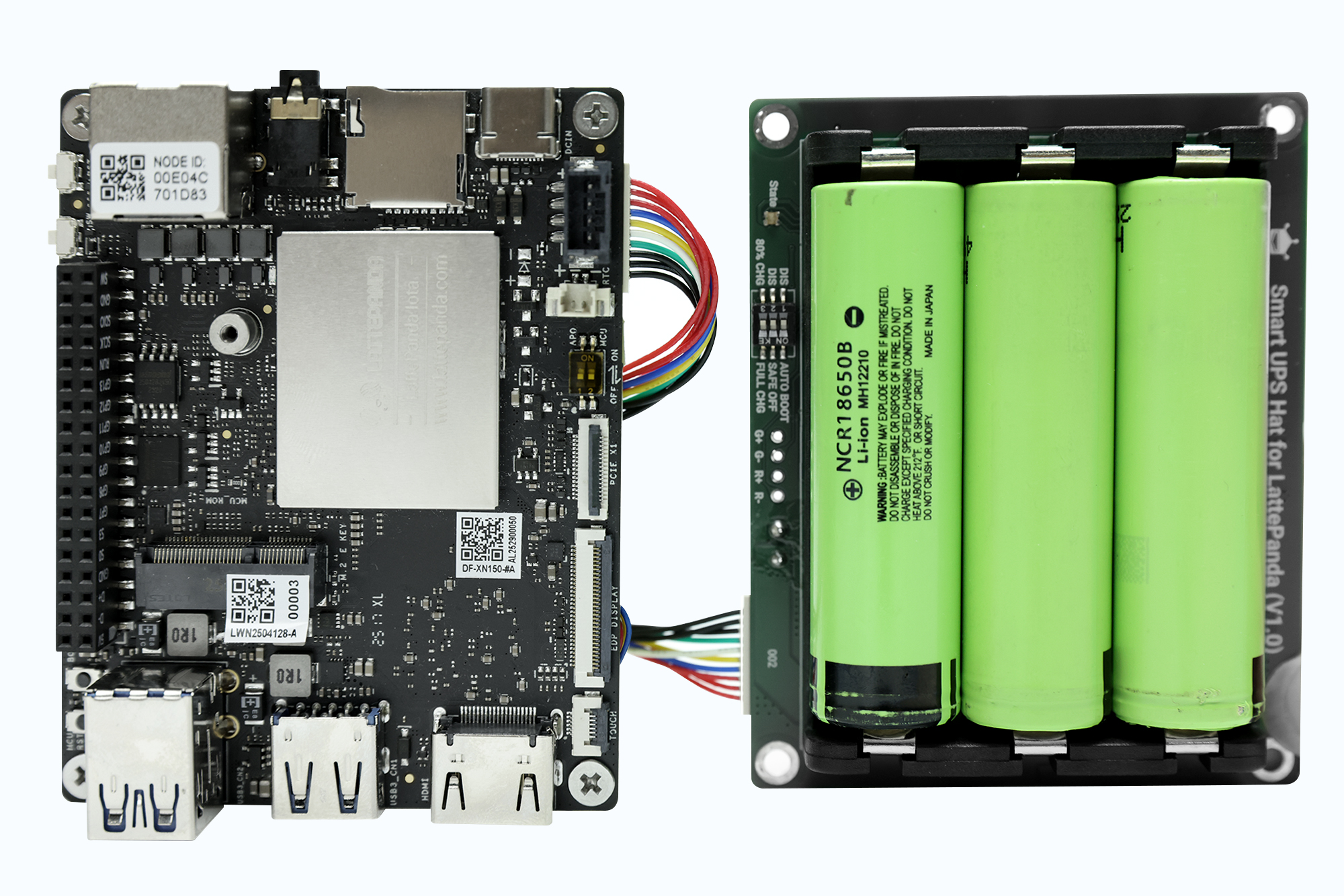
-
Check System Power Status
- In Windows, the taskbar will show a battery icon with real-time charge level.
- A lightning bolt (⚡) indicates charging when external power is connected.
✅ Critical: Always connect external power directly to the UPS board, not to the LattePanda itself, to ensure UPS functionality.
⚙️ Hardware Power Management (DIP Switch)
Configure power behavior via onboard 3-way DIP switch — no software required:
| Switch | Function | Description |
|---|---|---|
| SW1: Auto Boot | Auto Power-On | OFF (default): Manual power-on required ON: Powers on automatically when external power is connected |
| SW2: Safe OFF | Safe Shutdown | OFF (default): Continues powering during outage ON: Triggers safe OS shutdown during power loss |
| SW3: CHG | Charge Limit | 80%CHG (default): Charges to 80% (extends battery life) Full CHG: Charges to 100% |
Was this article helpful?