
Example Code for Arduino-Battery Level Display
Last revision 2025/12/17
This tutorial will demonstrate how to use the Battery Capacity Indicator.
Hardware Preparation
- Hardware
- UNO x1
- Battery Capacity Indicator x1
Software Preparation
- Software
Wiring Diagram
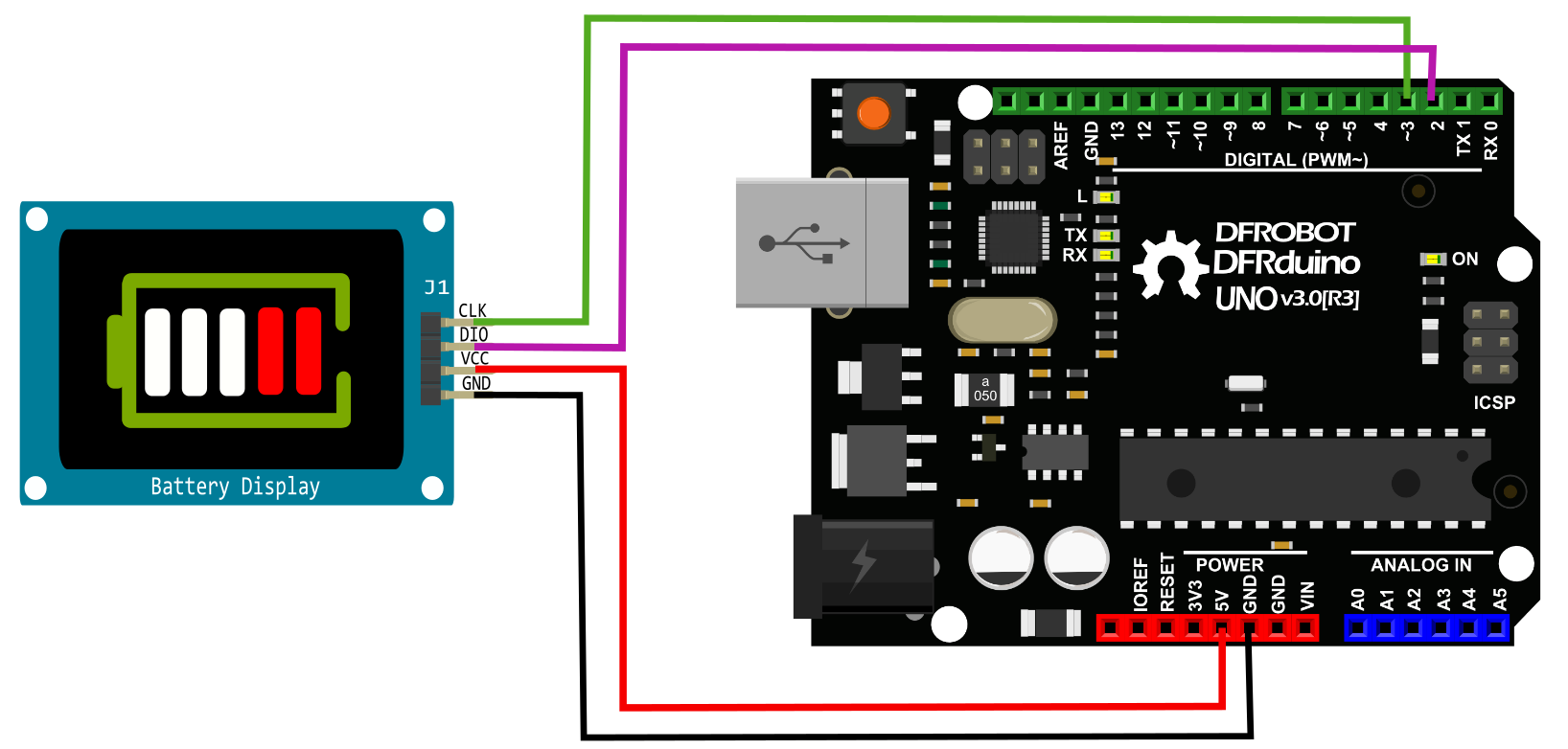
Other Preparation Work
Install the Battery Capacity Indicator libraries. For library installation instructions, refer to About Library installation.
Sample Code
Battery Capacity Indicator libraries About Library installation.
#include "TM1651.h"
#define CLK 3//pins definitions for TM1651 and can be changed to other ports
#define DIO 2
TM1651 batteryDisplay(CLK,DIO);
void setup()
{
  batteryDisplay.init();
  batteryDisplay.set(5);//0 ~ 7 mean to different brightness;
  batteryDisplay.frame(FRAME_ON);//light the frame of the battery display or FRAME_OFF to turn off the frame of the battery display
}
void loop()
{
  charging();
}

void charging()
{
  for(uint8_t level = 0; level < 6; level ++)
  {
    batteryDisplay.displayLevel(level);
    delay(500);
  }
}
Result
The battery capacity indicator will display increasing battery levels from 0 to 5 in a loop, with each level changing every 500ms. The frame of the battery display will be lit (since FRAME_ON is set).
Additional Information
Battery Capacity Indicator libraries About Library installation.
Was this article helpful?