
Example for LattePanda-Connecting Expansion Board
This tutorial walks you through connecting a LattePanda expansion board to a graphics card, detailing the hardware requirements and step-by-step instructions for a successful setup.
Requirements
- Hardware
Graphics card x1
sigma motherboard x1
Chassis power supply x1
M.2 M Key to PCIex4 expansion card (FIT0971) x1
ATX to DC5.5*2.5 male power cord-50cm (FIT0975) x1
PCIex1 to PCIex16 adapter card (FIT0972) x1
- usb data cable x1
- Square 6PIN power supply cable x1
Connection Diagram
When sigma needs to connect or unplug any powered equipment, sigma needs to be turned off and unplugged. It cannot be operated while it is powered on.
- Install the M.2 M Key to PCIex4 expansion card on the M.2 port of the sigma motherboard. Both M.2 M Key interfaces of the sigma motherboard support this expansion card.
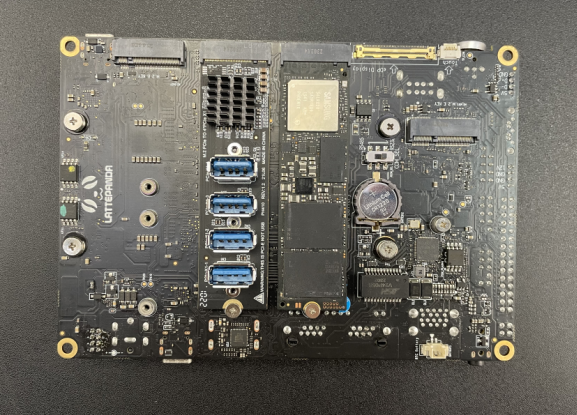
- Install the graphics card on the PCIex1 to PCIex16 adapter card, and use the chassis power SATA-15Pin interface to power the adapter card.
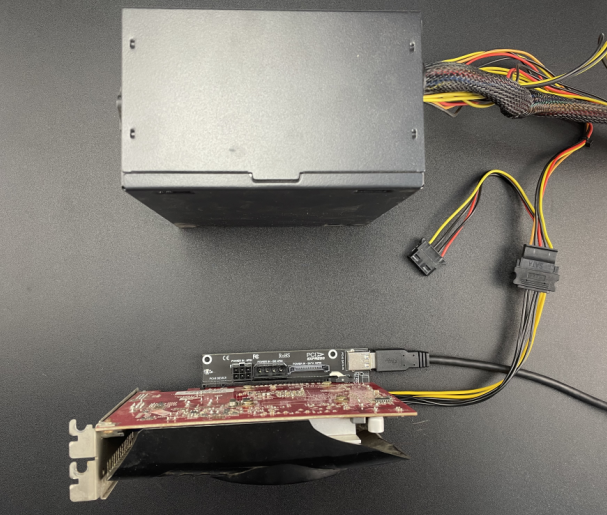
- Use a USB data cable to connect any interface of the M.2 M Key to PCIEx4 expansion card to the PCIex1 to PCIex16 adapter card.
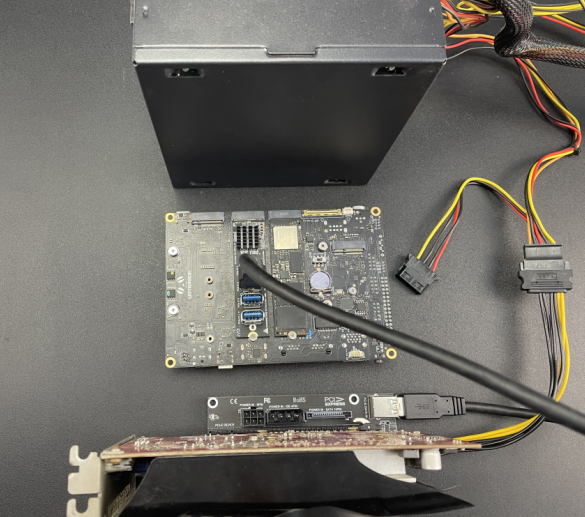
- Connect the graphics card to the monitor through the VGA or HDMI interface, connect the sigma motherboard to the network cable, connect the sigma motherboard to the ATX to DC male power cord, and use the ATX-24Pin interface of the chassis power supply to power the sigma motherboard. (Since the system needs to install the graphics card driver, it must be connected to the Internet before booting. When sigma is booted, the system will automatically install the required driver)
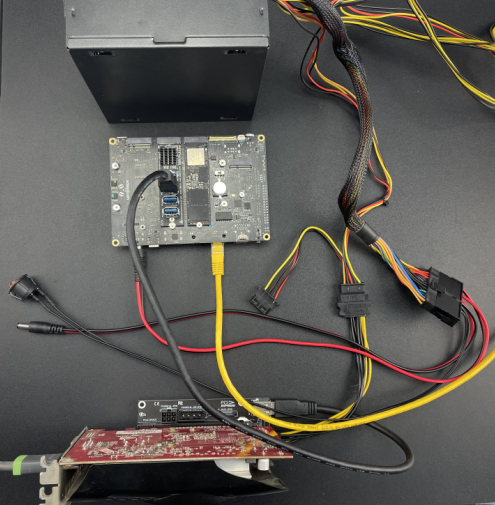
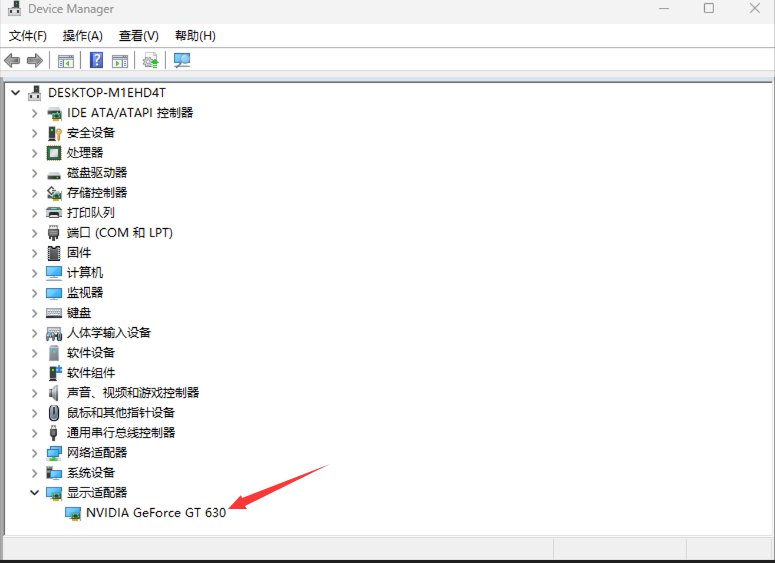
- After completing the connection of all devices, press the power button of the sigma motherboard. The system is installing the driver at this time, so the display will not light up immediately. Please wait patiently for a few minutes until the driver installation is completed and the display will light up normally and enter the system desktop. After booting, you can check the graphics card model through Display Adapter under Device Manager.
Was this article helpful?