
Reference
This article provides a comprehensive guide on installing the Cherokey hardware, detailing compatibility with various microcontrollers like Arduino UNO, and offering battery installation tips.
Installation Steps
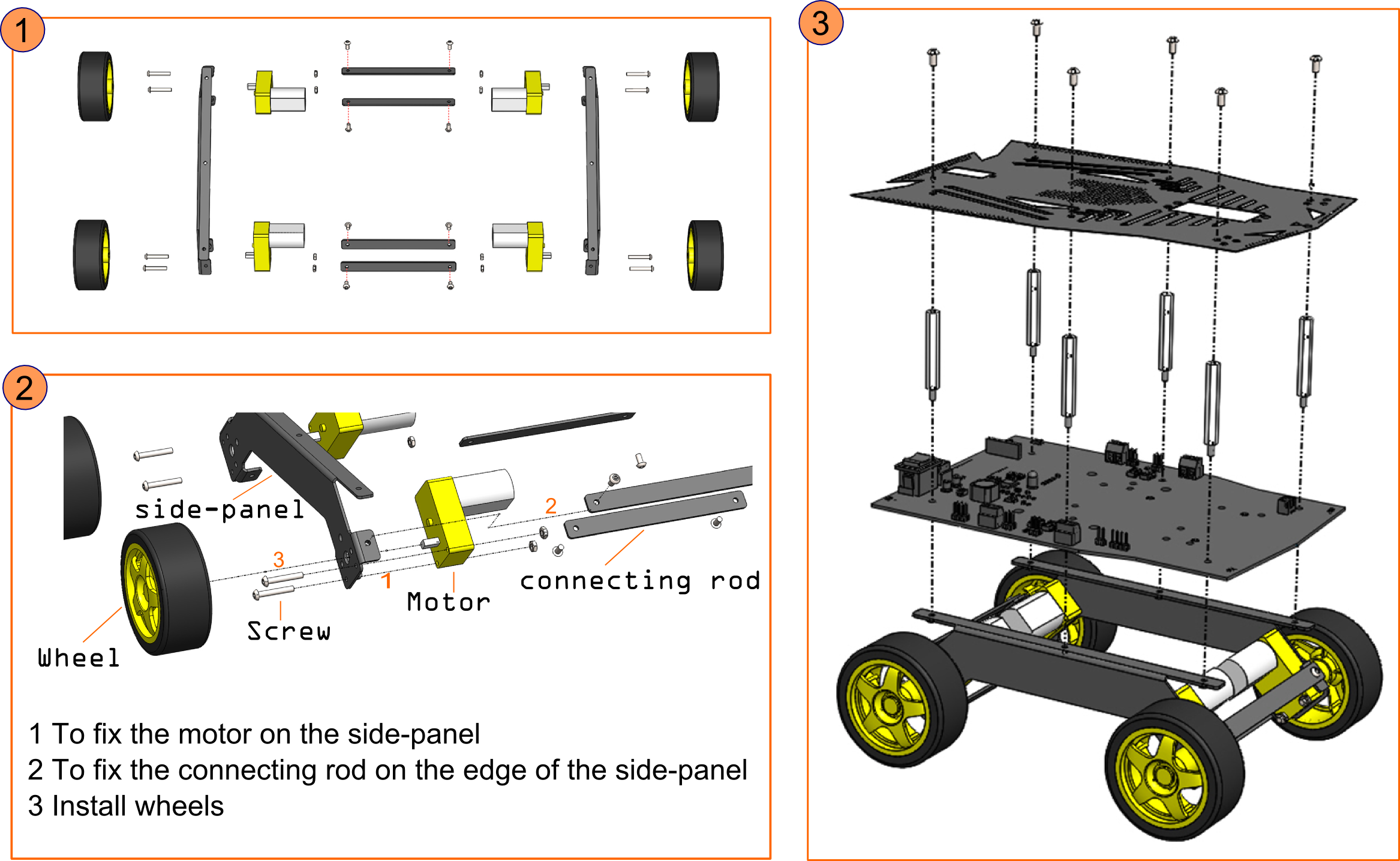
Refer to the Instruction manual for detailed assembly steps
Microcontroller Compatibility
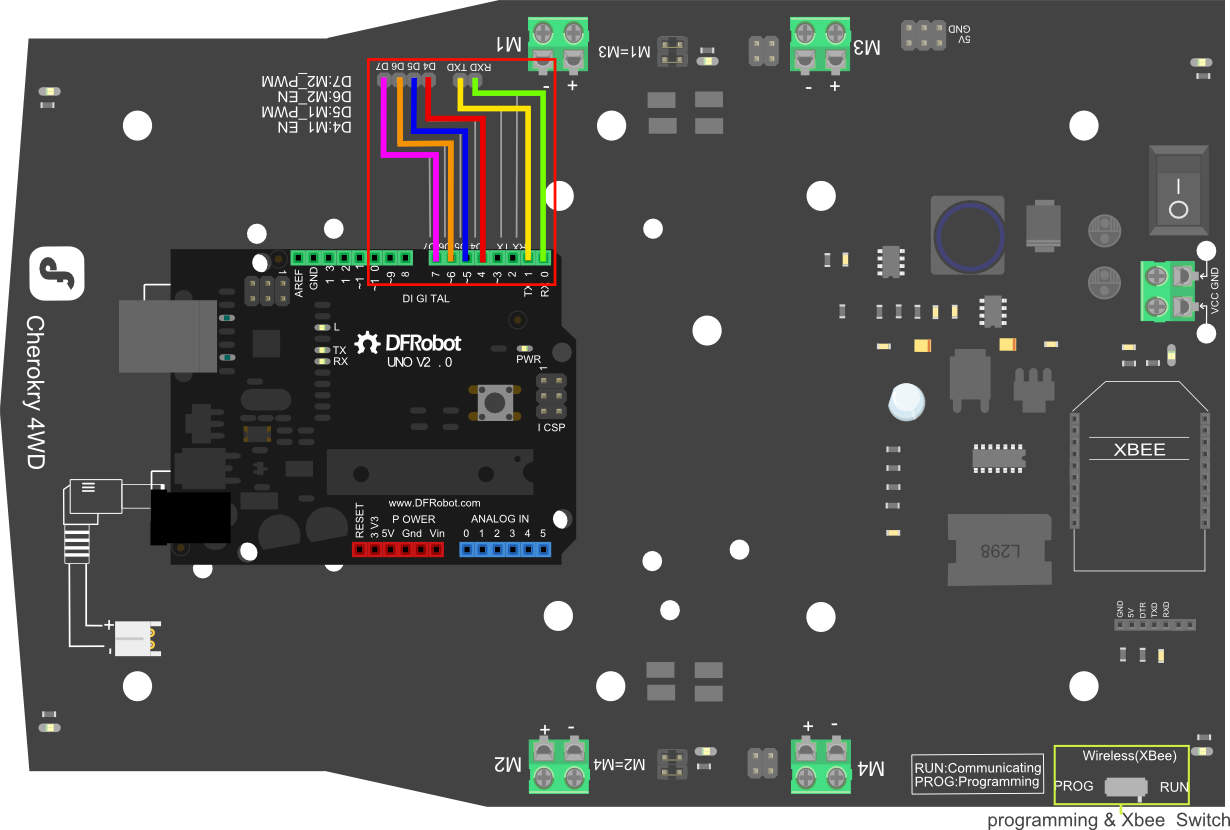
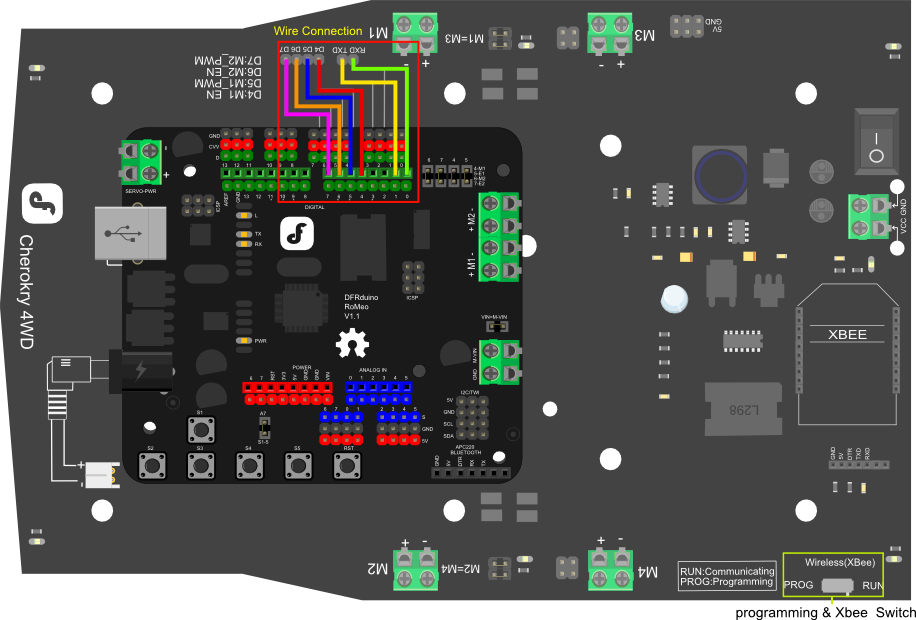
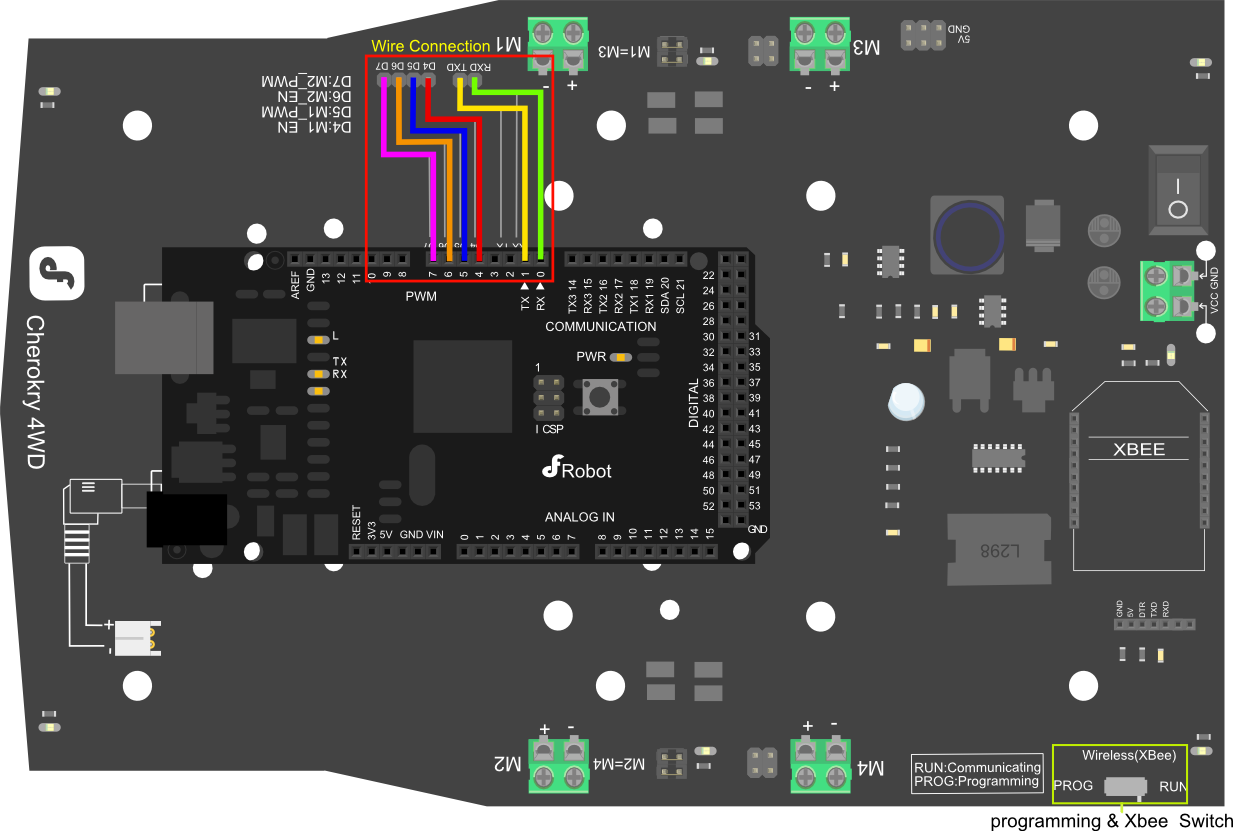
The Cherokey is compatible with most microcontrollers,such as Arduino UNO, Diecimila, Leonardo, Mega 1280,2560, ADK, Romeo etc. If you use the RoMeo, you have complete control of 4 motors simultaneously.
NOTE:
1 If you use Romeo or a Leonardo board where "RX0"&"TX0" are not exposed, you need to change "Serial" to "Serial1".
2 Turn the "PROG/RUN" switch to the "PROG" position when you are going to upload the sketch.
3 Turn the switch to "RUN" position when you are going to use Xbee,APC220 or other modules.
Power Supply
Install Battery on the back of the board.You can install 5xAA battery holder or lipo battery on the back of the board.
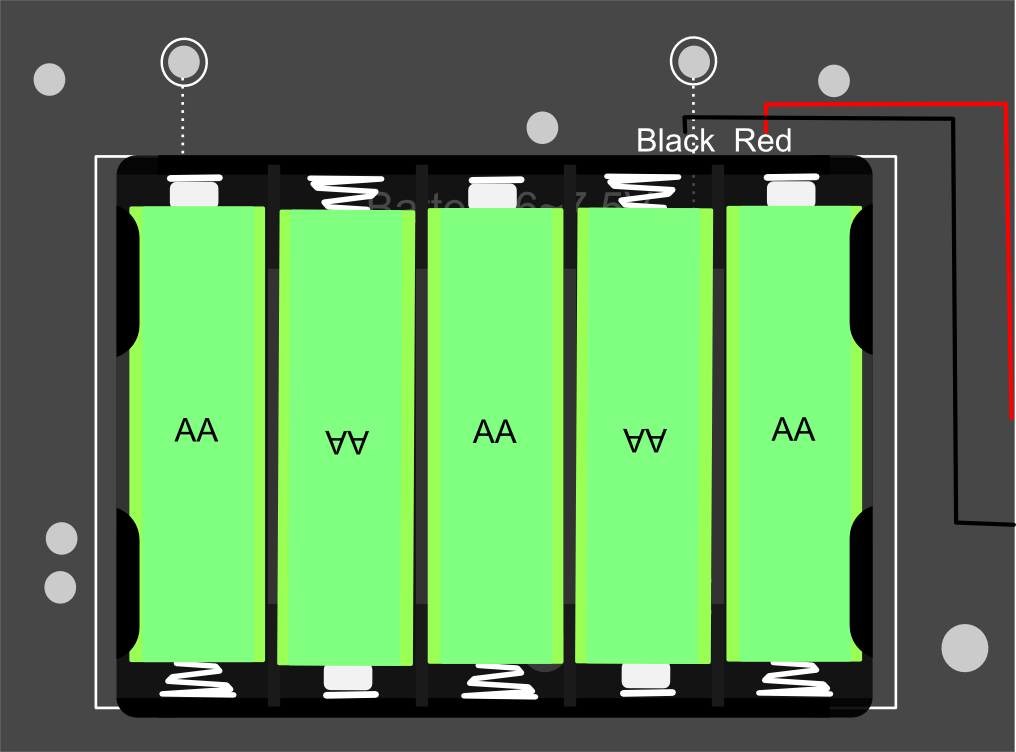
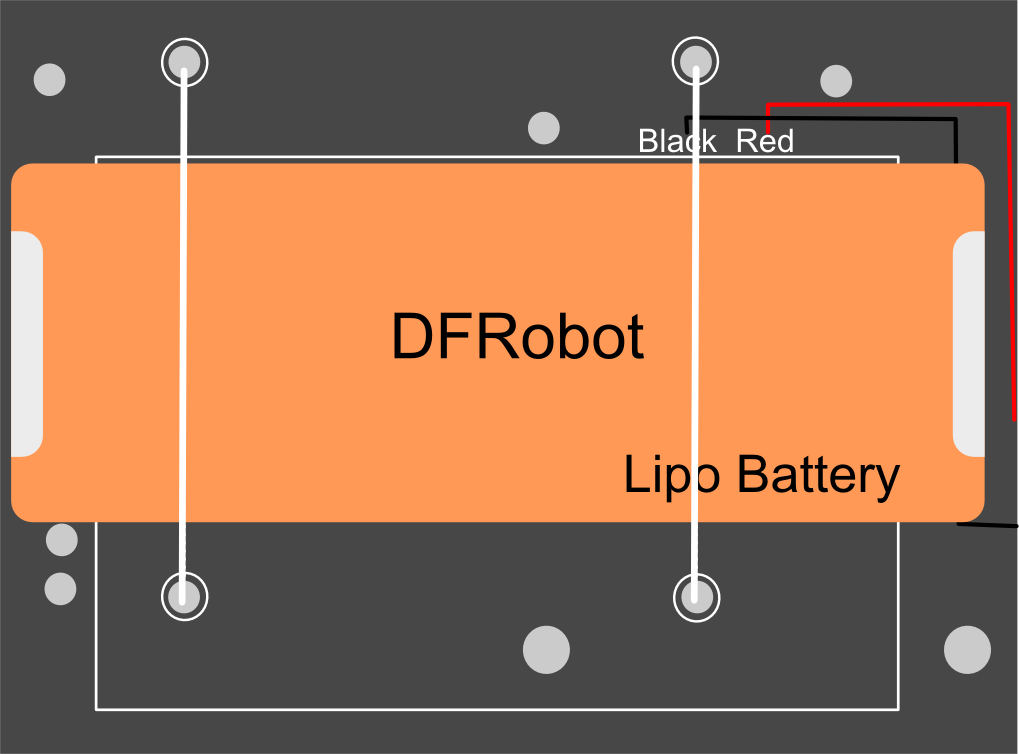
Documents
Was this article helpful?