
Example Code for Arduino-Obstacle Detection
Last revision 2026/01/15
Wiring Diagram

Sample Code
const int InfraredSensorPin = 4;//Connect the signal pin to the digital pin 4
const int LedDisp = 13;

void setup()
{
  Serial.begin(57600);
  Serial.println("Start!");
  pinMode(InfraredSensorPin,INPUT);
  pinMode(LedDisp,OUTPUT);
  digitalWrite(LedDisp,LOW);
}

void loop()
{
  if(digitalRead(InfraredSensorPin) == LOW)  digitalWrite(LedDisp,HIGH);
  else  digitalWrite(LedDisp,LOW);
  Serial.print("Infrared Switch Status:");
  Serial.println(digitalRead(InfraredSensorPin),BIN);
  delay(50);
}
Result
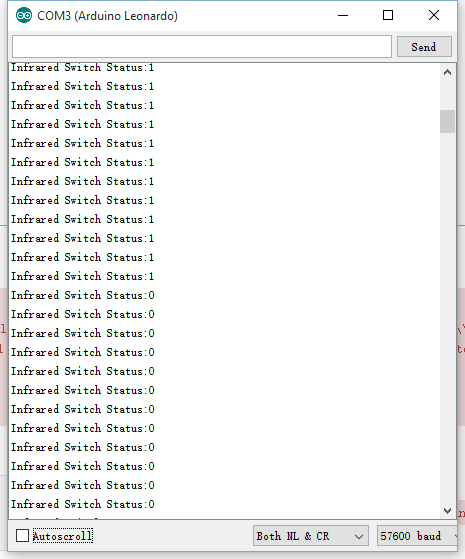
Cover the sensor head with your hand, the LED(Pin13) on board will light up, hold it toward an open area, the LED will be off. Open Arduino IDE serial monitor, you can also get the Infrared sensor status.
Was this article helpful?