
Example Code for Arduino-Distance Reading
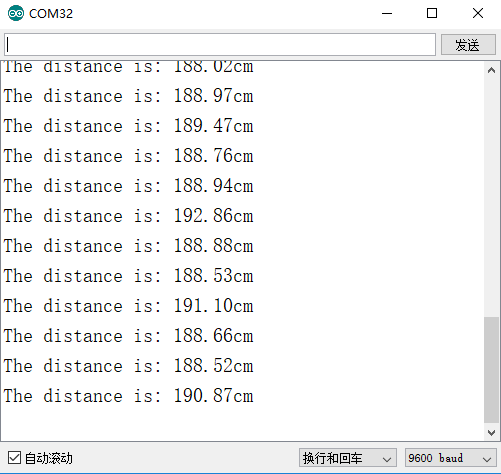
This example can print the test distance in serial port.
Software Preparation
Please download DFRobot_IRDM Library first. Use Arduino IDE.
Wiring Diagram
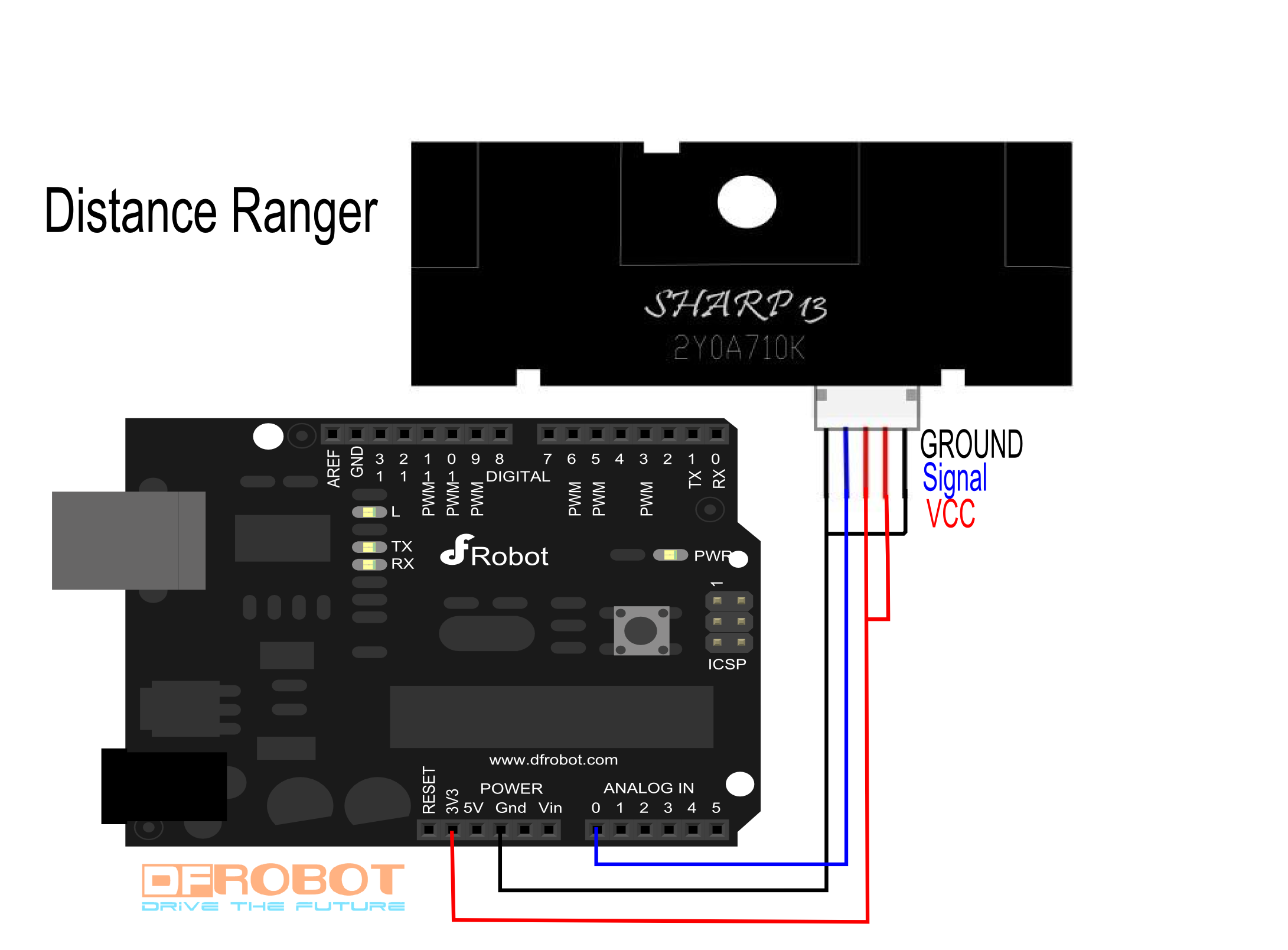
Other Preparation Work
Two "voltage vs distance" diagrams are enough for using it. Voltage is linear to the inverse of distance. (Distance range is 1m to 5.5m)
Two reference points:
| Analog Voltage(V) | Digital value(0-1023) | Distance(cm) |
| 2.5 | 512 | 100 |
| 1.4 | 286 | 500 |
Then, we have a linear equation of digital value and distance. (512-sensorValue)/(1/100-1/distance)=(512-286)/(0.01-0.002) => distance=28250/(sensorValue-229.5)
Sample Code
/*!
 * @file testDistanceSensor.ino
 * @brief DFRobot's Infrared Sensor
 * @n This example can print the test distance in serial port
 *
 * @copyright   [DFRobot](https://www.dfrobot.com), 2017
 * @copyright   GNU Lesser General Public License
 *
 * @author [Zhangjiawei]
 * @version  V1.0
 * @date  2017-6-22
 * @https://github.com/DFRobot/DFRobot_IRDM_Sensor
 */

#include <Wire.h>
#include "DFRobot_IRDM_Sensor.h"

DFRobot_IRDM_Sensor DIS(A0);      //change the parameter selection pin

void setup() {
  Serial.begin(9600);
}

void loop() {
  float Distance;
  Distance = DIS.getDistance();  //  get Distance
  Serial.print("The distance is: ");
  Serial.print(Distance);
  Serial.println("cm");
  delay(500);
}
Result
Was this article helpful?