
Example Code for Arduino-Obtaining Flow Data via I2C Communication-V2
This tutorial demonstrates how to use Arduino to obtain flow data via I2C communication.
Hardware Preparation
Software Preparation
- Download and install Arduino IDE: Click to download Arduino IDE
- Download and install the DFRobot_FRN20 Library: Click to download DFRobot_FRN20 Library
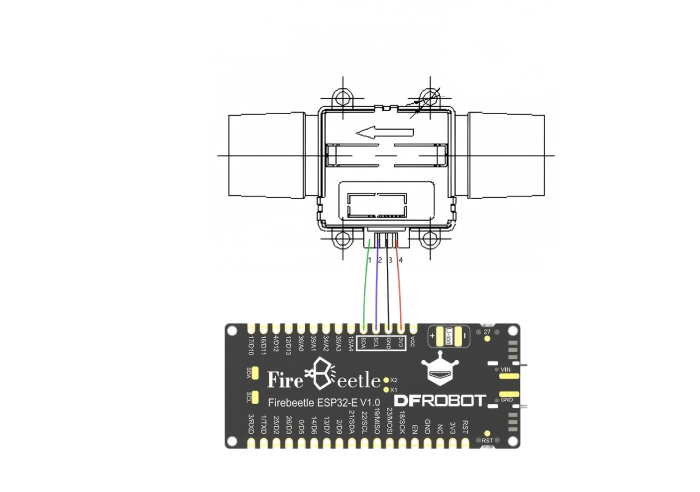
Wiring Diagram
Sample Code
#include "DFRobot_FRN20.h"
DFRobot_FRN20 frN20;
void setup()
{
  Serial.begin(115200);
  while (!Serial);
  Serial.println("");
  Serial.print("FRN20 init...");
  while (frN20.begin() != 0) {

    Serial.println("failed,Not found FRN20!");
    delay(500);
  }
  Serial.println("");
  Serial.println("successed");
}

void loop()
{
  frN20.readMassFlowData();
  Serial.print("Flow Value: ");
  Serial.print(frN20.massFlowData);
  Serial.println(" SLM");
  delay(500);
}
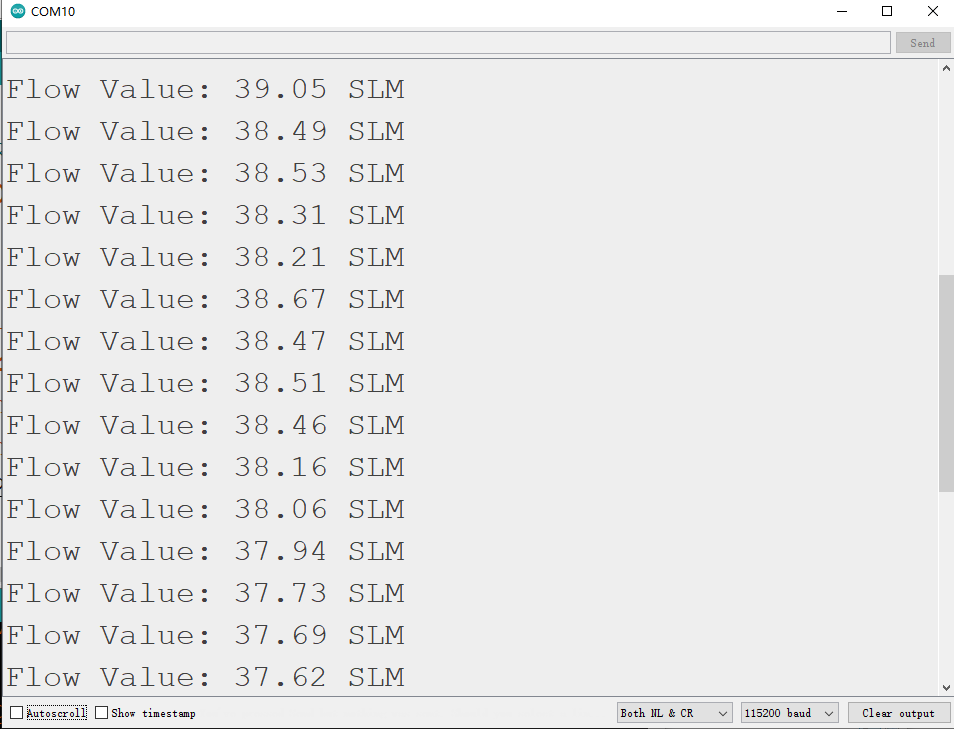
Result
Was this article helpful?