
Example Code for Arduino-Read Acceleration Gyro and Angle
Last revision 2025/12/26
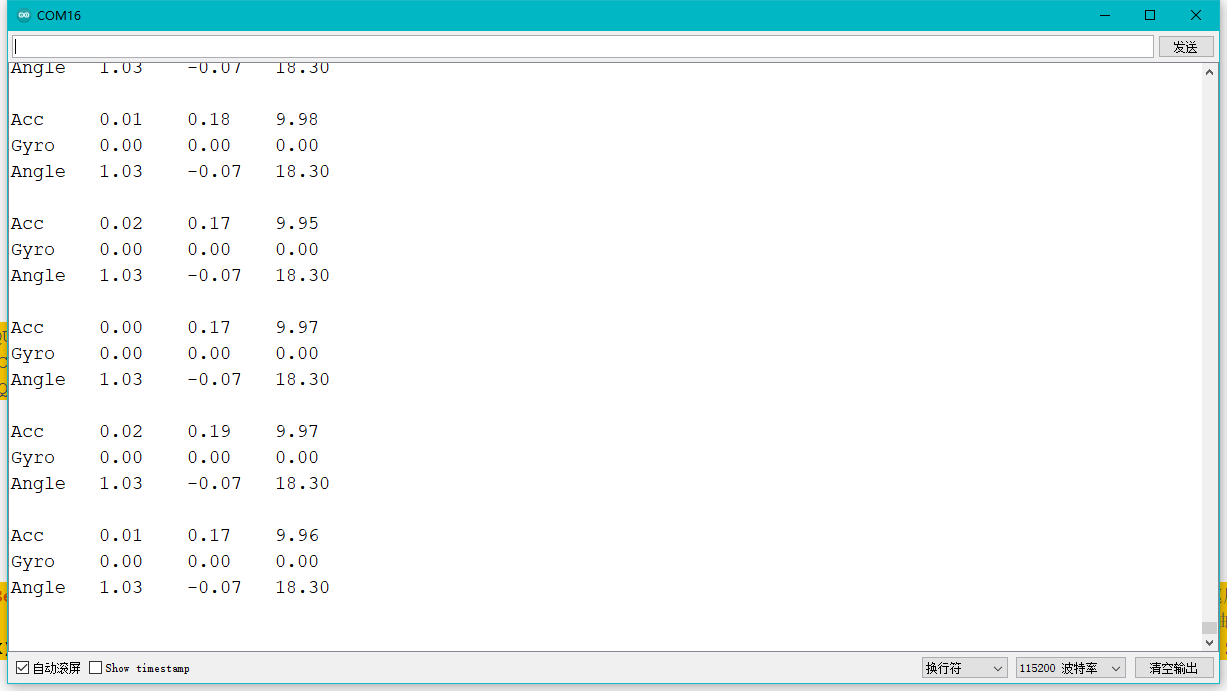
Set the frequency of data output by the sensor, read the acceleration, angular velocity, and angle of X, Y, and Z axes. Experimental phenomenon: when the sensor starts, it outputs data at the set frequency and the data will be displayed on serial monitor.
Hardware Preparation
- DFRduino UNO R3 (or similar) x 1
- Serial 6-Axis Accelerometer x1
Software Preparation
- Arduino IDE
- Download and install the DFRobot_WT61PC Library. (About how to install the library?)
Wiring Diagram
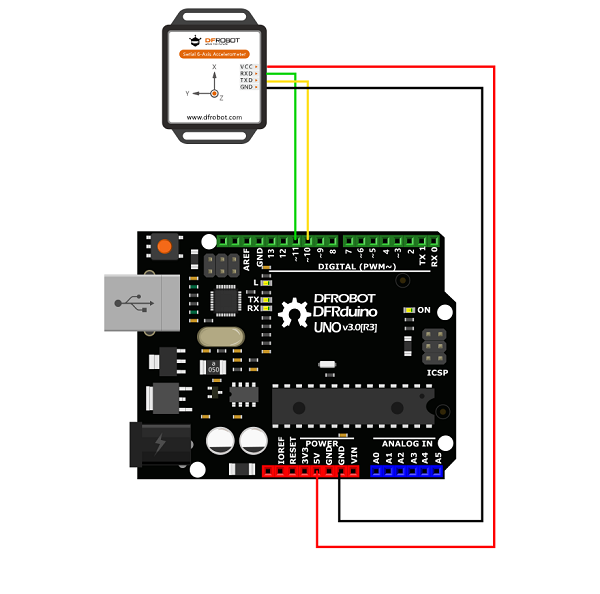
| WT61PC | Arduino UNO |
|---|---|
| VCC | 5V/3V |
| RXD | D11 |
| TXD | D10 |
| GND | GND |
Sample Code
/*!
 * @file getData.ino
 * @brief Set the frequency of data output by the sensor, read the acceleration,
 * @n angular velocity, and angle of X, Y, and Z axes.
 * @n Experimental phenomenon: when the sensor starts, it outputs data at the set
 * @n frequency and the data will be displayed on serial monitor.
 * @copyright Copyright (c) 2010 DFRobot Co.Ltd (http://www.dfrobot.com)
 * @license The MIT License (MIT)
 * @author [huyujie](yujie.hu@dfrobot.com)
 * @version V1.0
 * @date 2023-07-12
 * @url https://github.com/DFRobot/DFRobot_WT61PC
 */
#include <DFRobot_WT61PC.h>


#if (defined(ARDUINO_AVR_UNO) || defined(ESP8266))   // Using a soft serial port
#include <SoftwareSerial.h>
SoftwareSerial softSerial(/*rx =*/10, /*tx =*/11);
#define FPSerial softSerial
#else
#define FPSerial Serial1
#endif

DFRobot_WT61PC sensor(&FPSerial);

void setup()
{
  //Use Serial as debugging serial port
  Serial.begin(115200);

#if (defined ESP32)
  FPSerial.begin(9600, SERIAL_8N1, /*rx =*/D3, /*tx =*/D2);
#else
  FPSerial.begin(9600);
#endif


void loop()
{
  if (sensor.available()) {
    Serial.print("Acc\t"); Serial.print(sensor.Acc.X); Serial.print("\t");
    Serial.print(sensor.Acc.Y); Serial.print("\t"); Serial.println(sensor.Acc.Z); //acceleration information of X,Y,Z
    Serial.print("Gyro\t"); Serial.print(sensor.Gyro.X); Serial.print("\t");
    Serial.print(sensor.Gyro.Y); Serial.print("\t"); Serial.println(sensor.Gyro.Z); //angular velocity information of X,Y,Z
    Serial.print("Angle\t"); Serial.print(sensor.Angle.X); Serial.print("\t");
    Serial.print(sensor.Angle.Y); Serial.print("\t"); Serial.println(sensor.Angle.Z); //angle information of X, Y, Z
    Serial.println();
  }
}
Result
Was this article helpful?