
Example Code for Raspberry Pi-Read Wind Speed
This article offers a comprehensive guide on using Raspberry Pi to measure wind speed with a USB to RS485 module, detailing hardware and software preparation, wiring, and sample code for successful sensor integration.
Hardware Preparation
| Name | Model/SKU | Quantity | Purchase Link |
|---|---|---|---|
| USB to RS485 Module | FIT0737 | 1 | https://www.dfrobot.com/product-2189.html |
Software Preparation
Type the following commands in the terminal one by one
cd /tmp
wget https://project-downloads.drogon.net/wiringpi-latest.deb   //Download wiringpi library
sudo dpkg -i wiringpi-latest.deb  //Install wiringpi library
cd .....                                                     //Enter the content you want to save file in
git clone https://github.com/DFRobotdl/RS485_Wind_Speed_Transmitter.git     //Download program in github
cd RS485_Wind_Speed_Transmitter/
Wiring Diagram
Here USB to RS485 Module is used.

Other Preparation Work
-
Check the device: Type this in the terminal:
sudo ls -l /dev
Find out the device you just connected in.
-
Open the previously downloaded min.c file, change the device port in the program to the actual one and save it

-
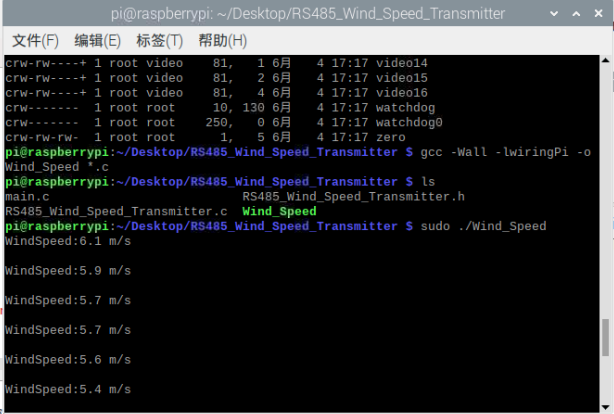
Use the terminal to open the folder where the program is located, compile and run:
gcc -Wall -lwiringPi -o Wind_Speed *.c
sudo ./Wind_Speed
Result
You can see the accurate wind speed information
Was this article helpful?