
Example Code for Arduino-Liquid Level Detection
The article guides on setting up an Arduino liquid level detection system using a high-precision sensor, offering hardware and software instructions, wiring diagrams, and sample code.
Hardware Preparation
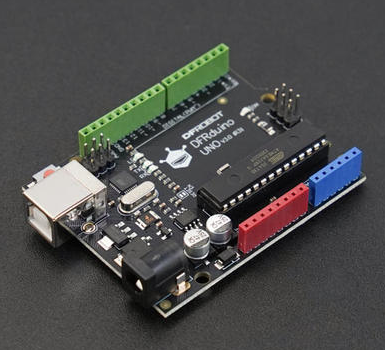
- DFRduino UNO R3 x 1
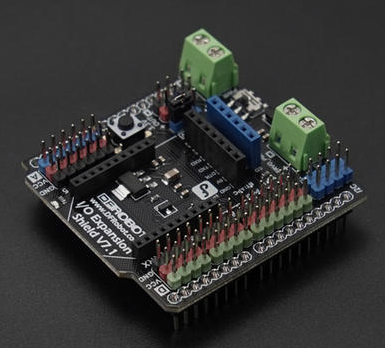
- Gravity: IO Expansion Shield for Arduino V7.1 x1
- 80GHz High-Precision Liquid Level Detection Millimeter Wave Sensor (40m) x1
- 1.25mm to 2.54mm Dupont connector cable (20cm) x1
Software Preparation
- Arduino IDE
- Download the LiquidLevelDetection libraries
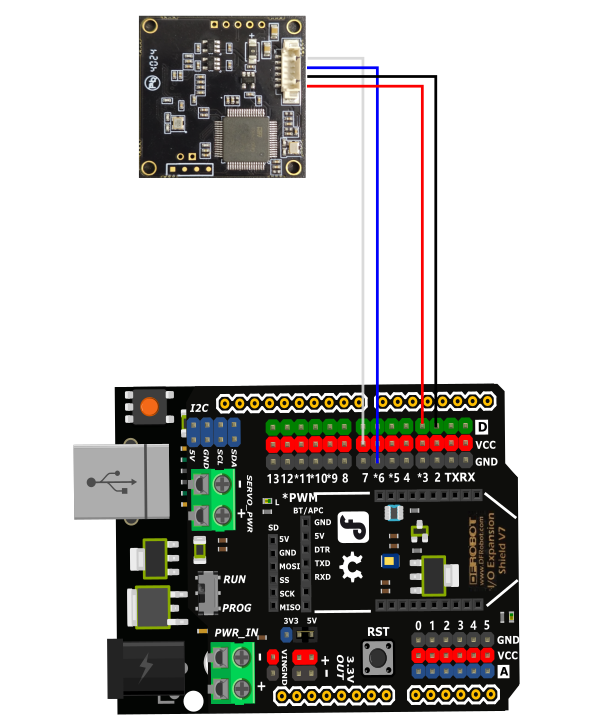
Wiring Diagram
Other Preparation Work
Before burning the code, you need to modify the installation height value "200" cm in the code according to the actual installation height.
Sample Code
#include <LiquidLevelDetection.h>

// Define RX and TX pins
#define RX_PIN 2
#define TX_PIN 3

// Define baud rate
#define BAUD_RATE 115200

// Create sensor object
LiquidLevelDetection sensor(RX_PIN, TX_PIN);

void setup() {
    // Initialize serial communication with 115200 baud rate
    Serial.begin(BAUD_RATE);
    Serial.println("Millimeter-wave Liquid Level Sensor Test");

    // Initialize sensor with 115200 baud rate
    if (!sensor.begin(BAUD_RATE)) {
        Serial.println("Sensor initialization failed!");
        while (1);
    }

    char buffer[10];  // Buffer for formatting float numbers

    // Set installation height (unit: centimeter)
    if (sensor.setInstallationHeight(200)) {  // 2 meters = 200 centimeters
        Serial.println("Installation height set successfully");
        // Wait a moment for the device to update the range
        delay(1000);

        // Read current range
        float range = sensor.getRange();
        Serial.print("Current range: ");
        dtostrf(range, 1, 3, buffer);
        Serial.print(buffer);
        Serial.println(" m");
        Serial.println("------------------------");
    } else {
        Serial.println("Failed to set installation height");
    }
}

void loop() {
    char buffer[10];  // Buffer for formatting float numbers

    // Read installation height
    float installHeight = sensor.getInstallationHeight();
    Serial.print("Installation height: ");
    dtostrf(installHeight, 1, 3, buffer);
    Serial.print(buffer);
    Serial.println(" m");

    // Read empty height (distance from sensor to liquid surface)
    float emptyHeight = sensor.getEmptyHeight();
    Serial.print("Empty height: ");
    dtostrf(emptyHeight, 1, 3, buffer);
    Serial.print(buffer);
    Serial.println(" m");

    // Read water level height
    float waterLevel = sensor.getWaterLevel();
    Serial.print("Water level height: ");
    dtostrf(waterLevel, 1, 3, buffer);
    Serial.print(buffer);
    Serial.println(" m");

    Serial.println("------------------------");
    delay(3000);  // Update every 3 seconds
}
Result
After the installation height is set successfully, the installation height, empty height and liquid level height of the liquid level sensor will be printed.
Additional Information

- If the data is abnormal, press the reset button on the development board to ensure that the installation height is set successfully
- The range does not need to be set, the range will change automatically according to the installation height, and the maximum range is 40m
- The measurement zero point of the millimeter wave module has been calibrated from the antenna surface to the lens end at the factory
Was this article helpful?