
Example Code for Raspberry Pi-Get data
Last revision 2026/02/05
Explore the use of 64×8 Matrix DTOF LiDAR with Raspberry Pi 4B for precise data retrieval. Follow the detailed steps for hardware setup, wiring, and running Python demos to unlock sensor capabilities. Perfect for tech enthusiasts and developers!
Hardware Preparation
- 64×8 Matrix DTOF LiDAR (SKU: SEN0682) × 1
- Raspberry Pi 4B (SKU: DFR0619) ×1
- Gravity-4P Connection Cable ×1
- USB-C Data Cable ×1
Software Preparation
- Download Arduino library: Click here to download DFRobot_64x8DTOF library.
- Tool preparation: MobaXterm_Personal_23.4 (for remote connection to Raspberry Pi, optional).
Please check the Raspberry Pi system configuration to ensure successful activation of serial communication.
Wiring Diagram

| Sensor Pin | Raspberry Pi 4B Pin |
|---|---|
| 5V | 5V (Pin 2) |
| GND | GND (Pin 6) |
| TX | RXD (Pin 10, GPIO15) |
| RX | TXD (Pin 8, GPIO14) |
Disconnect the Raspberry Pi power supply before wiring to avoid short circuits and hardware damage; the sensor must be powered by 5V, do not connect it to 3.3V.
Operation Steps
-
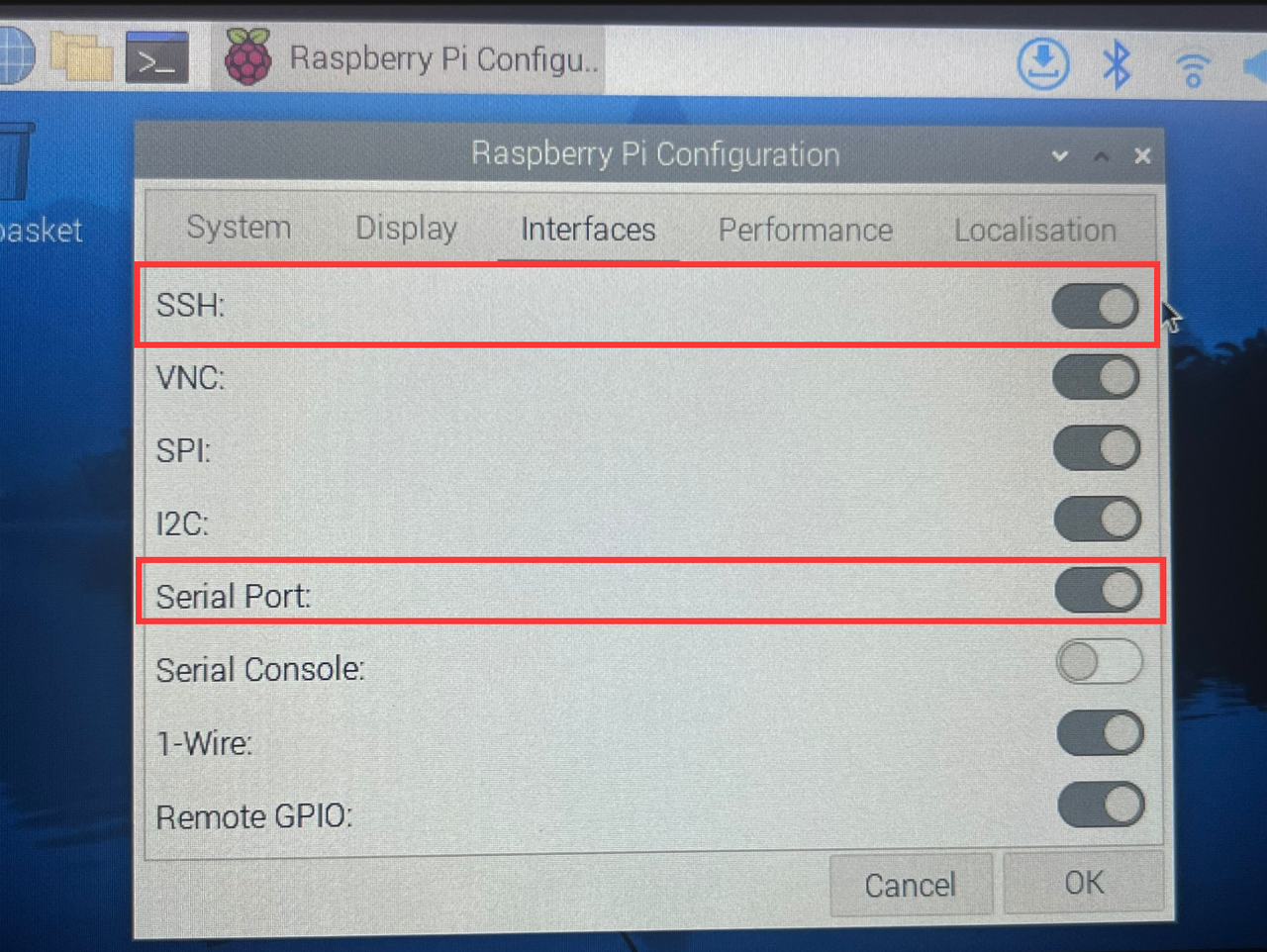
Power on the Raspberry Pi and obtain its IP address.Confirm whether the following configurations (SSH, Serial Port) of the Raspberry Pi are enabled.
-
Use the MobaXterm_Personal_23.4 software to remotely connect to the Raspberry Pi.
-
After successful connection, run the following command line to obtain the Python library for this sensor. Press the Enter key after inputting.
git clone https://github.com/DFRobot/DFRobot_64x8DTOF -
After successful execution, run the following command line to get the demo file
demox.py. Press the Enter key after inputting.cd DFRobot_64x8DTOF/python/raspberrypi/example/Then run the following command line. You will then see 4 demo files as shown in the figure below.
ls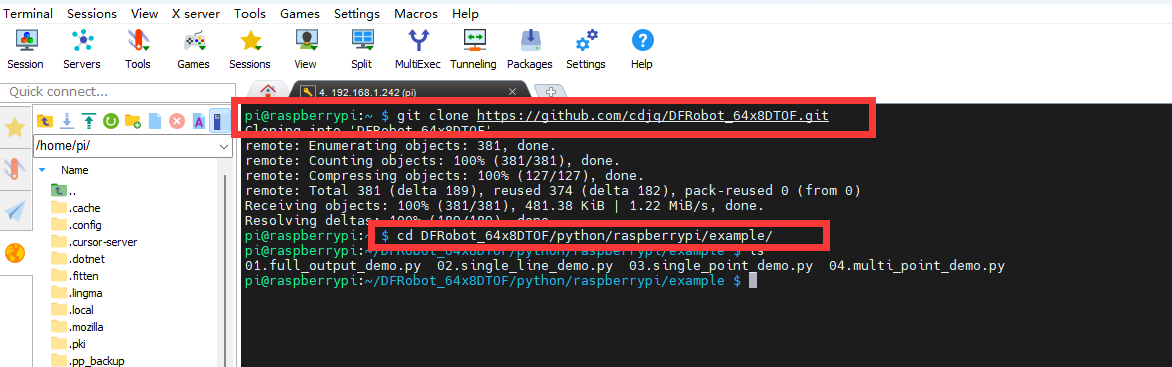
-
For example, to run the
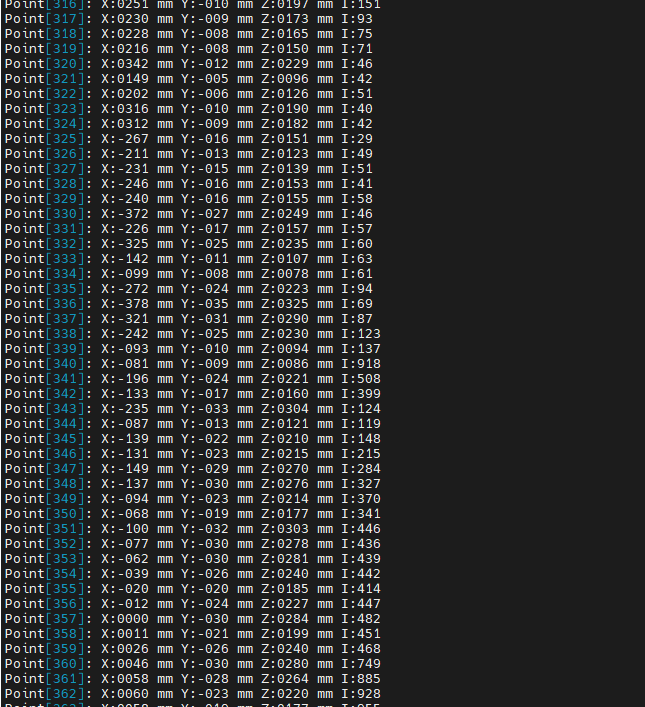
01. full_output_demo.pydemo, first input the following command line and press the Enter key.python 01.full_output_demo.py -
Wait for the command to execute, and you will be able to view the detection results of the sensor as shown in the figure below.
-
For other Python demos, repeat the above steps. No further elaboration is provided here.
Was this article helpful?