
Configuration Guide
This guide provides detailed steps to configure and pair the DF-Bluetooth module using BlueSoleil software, ensuring easy communication by setting it to slave mode and connecting with a default PassKey.
The DF-Bluetooth module is based on the specification of Bluetooth V2.0, compatible with V1.1. A Bluetooth adaptor is required to communicate with the DF-Bluetooth module. When it is paired with other Bluetooth devices, the DF-Bluetooth is always set to slave mode.
The IVT BlueSoleil is recommended to manager all your Bluetooth devices.
Here is the sample:
Step 1:
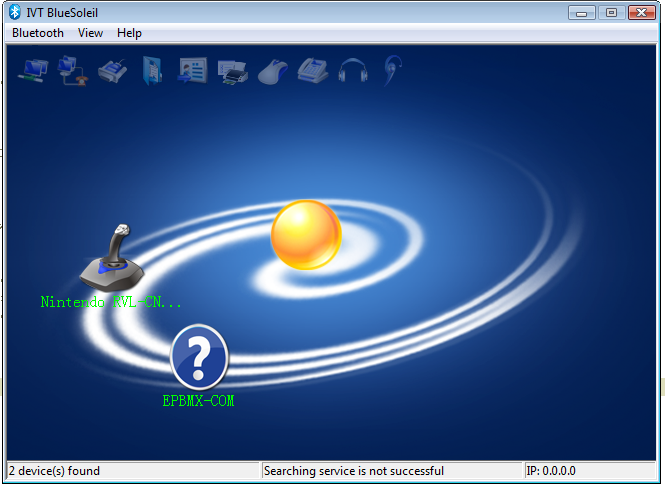
Open BlueSoleil software (Figure 1) and right click the yellow ball in the centre screen, click “Search Devices” , an icon named EPBMX-COM will appear after few seconds. The EPBMX-COM is the DF-Bluetooth module.
Step 2:
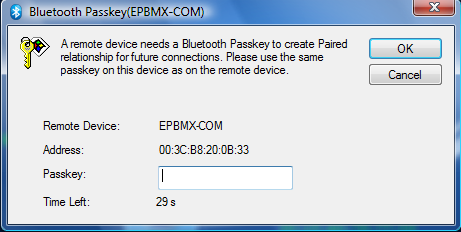
Right click EPBMX-COM icon, click “Pair”. A window will popup ask for PassKey which is “0000” by default (Figure 2).
Step 3:
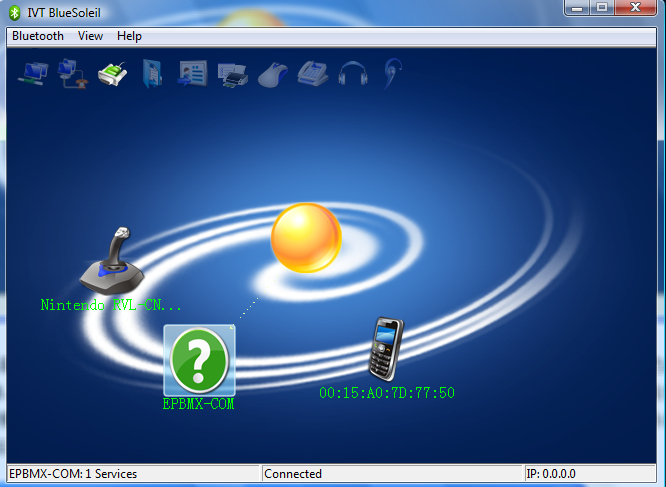
Double click EPBMX-COM to connect to DF-Bluetooth.
Was this article helpful?