
Configuration Guide
Last revision 2026/01/22
The configuration tools can be used to configure the Wireless Programming Module(WPM).
- Step 0:Set the two switches of the WPM
- Switch the WPM to config mode by switching the "Mode" to "ON" position, a blue (or red, depending on WPM Version) LED should turn on;
- Make sure the "Prog_EN" is at "ON" position.
- Step 1:Plug the WPM on the XBee Adapter
- Step 2:Connect the Xbee Adapter(V2) to the USB port of your PC via MINI USB Cable
- Step 3:Run the configuration tools on Windows.
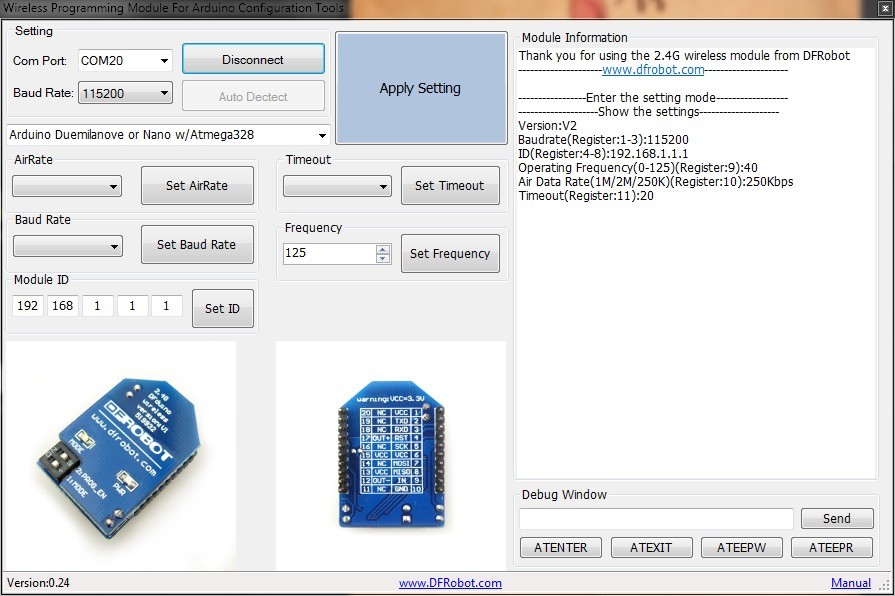
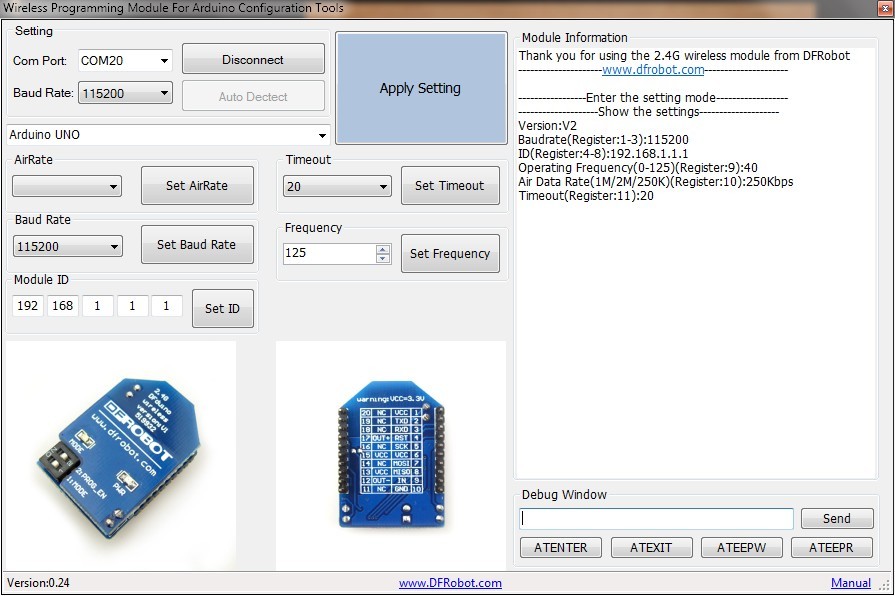
- Step 4:Select the right serial port and baud rate (115200bps by default)
- If you do not know the baud rate, you might have to try different ones until you get a response on the right information window
- Step 5:Click button "Connect WPM",if everything is fine, the module information will be displayed in the right information window
- If you get no response try pressing the "ATENTER" and "Send" buttons on the lower right debug window
- Step 6:Select the proper Arduino board that you are intending to program.
- Step 7:Click "Apply Setting" button
- Step 8:Wait for the module to restart, once the module information(in the right window) has changed, the module is ready to do wireless programming
Was this article helpful?