
Usage Example for Mobile App - BLE Signal Scan
This article guides users on effectively utilizing the NanoBeacon BLE Scanner app for mobile Bluetooth signal scanning, including step-by-step instructions for filtering and resuming scans.
- 1.Install and openNanoBeacon™ BLE Scanner
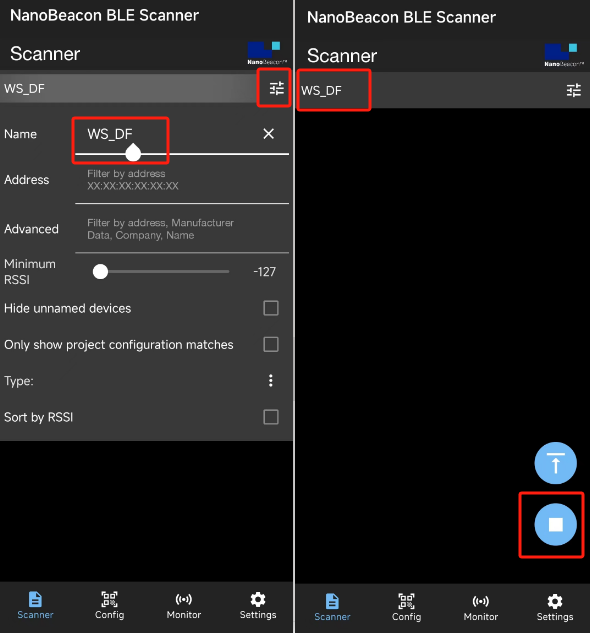
- 2.Click on the top-left filter button to open the filter, then filter by name "WS_DF". Once done, click the filter button again to close the filter. Note that if there is a triangle symbol at the bottom-right, it means scanning is paused. You can resume scanning by clicking the triangle symbol or scrolling down the page.
-
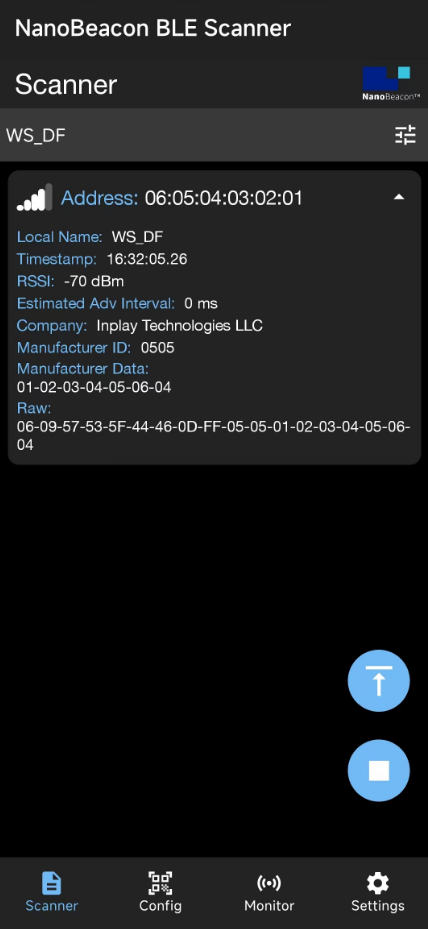
3.Press the power generation button to see the app detect the button press.
Was this article helpful?