
Example Code for Arduino-FTDI Connection Test
Last revision 2025/12/09
This article provides example code for testing Arduino–FTDI connections using the RGB_Ring_V3 library.
Hardware Preparation
Software Preparation
Download the library Rar file (New RAR file with additional sample code)
This library has yet to be upgraded to be compatible with IDE V1.0 Please use Arduino 0023
Wiring Diagram
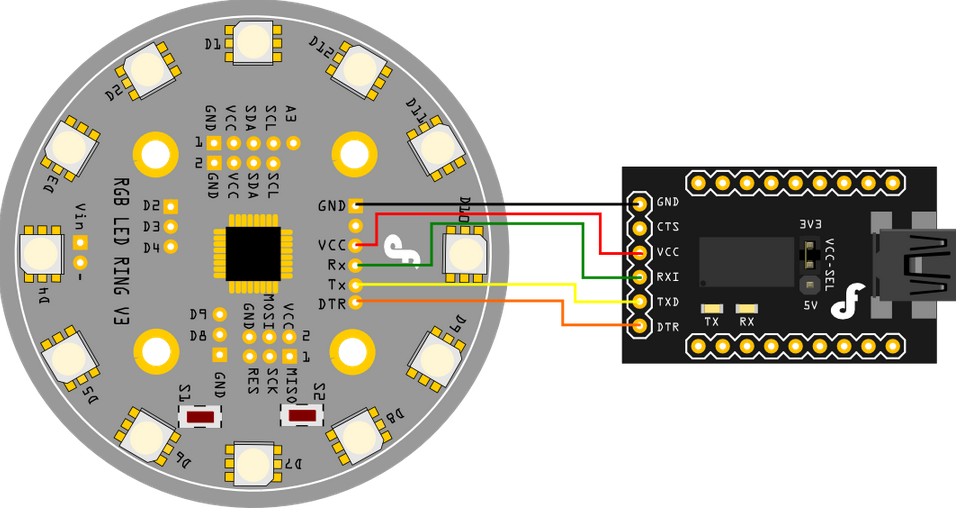
Other Preparation Work
-
The Rainbow Ring ships with no pin headers. This gives you the option to solder the pins according to your project needs. Before starting to program the LED Ring you should solder the pin headers on to the board.
- CAUTION: Only supply power to 1 of the 3 power pins provided at any one time.
-
Download the library Rar file (New RAR file with additional sample code)
-
How to change board
- step1: Once it's downloaded, unzip the files as normal.You will see the following list.
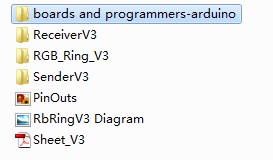
- step2: Open boards and programmers-arduino / boards.
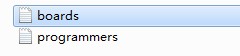
- step3: Meanwhile,open Arduino 0023 Arduino 0023 / hardware / arduino.

- step4: Put the file boards of step2 instead of the one boards of step3. Then re-open Arduino 0023 and select: [Optiboot] Lilypad Arduino w/Atmega 168
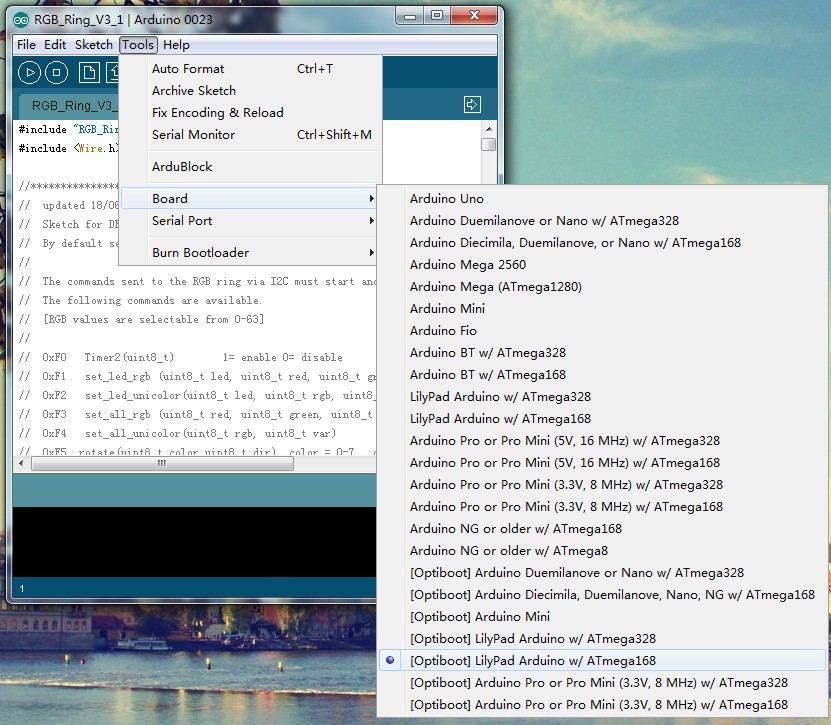
Sample Code
Use code RGB_Ring_V3 in the zip to test it.
Result
Upload code RGB_Ring_V3 to Lilypad by FTDI and control the Rainbow Ring.
Because of the libary, setting the baud rate is need for double in the serial monitor than in the code.
Was this article helpful?