
Example Code for Arduino-Continuously Recognize Faces, Palm Prints, and QR Codes
Continuously identify faces, palm prints, and QR codes, and print the corresponding information through the serial port monitor. If it cannot be recognized, you can adjust the distance or posture slightly and keep it still.
Hardware Preparation
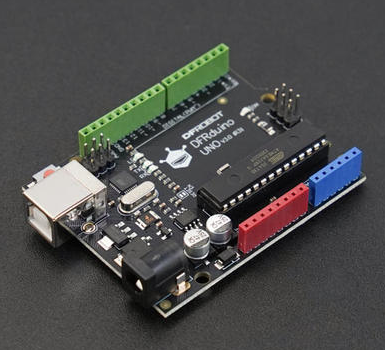
- DFRduino UNO R3 x 1
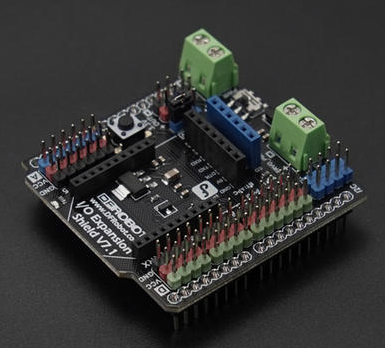
- Gravity: IO Expansion Shield for Arduino V7.1 x 1
- AI Binocular Vision Recognition Sensor(Face & Palm Vein & QR Code) x 1
- 1.25mm 4-pin to Dupont female connector cable ×1
- USB data cable ×1
Software Preparation
- Arduino IDE
- Download DFRobot_AI10 library
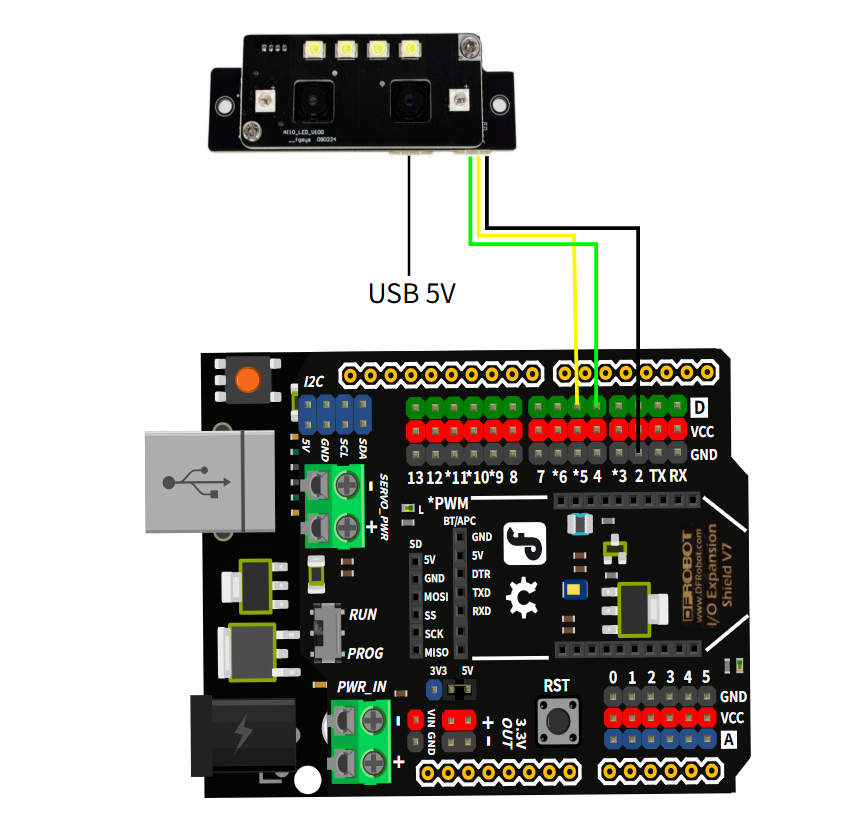
Wiring Diagram
The PC USB interface has low power, so it is recommended to use a 5V USB adapter for power supply, which will make the recognition more sensitive.
Other Preparation Work
Adjust the distance or posture slightly and keep still if recognition fails.
Sample Code
/*!
 * @file continuousRecognition.ino
 * @brief This is an example of using the DFRobot_AI10 library to recognize human faces and QR codes in real-time.
 * @copyright	Copyright (c) 2025 DFRobot Co.Ltd (http://www.dfrobot.com)
 * @license The MIT License (MIT)
 * @author [jiali](zhixinliu@dfrobot.com)
 * @version V1.0
 * @date 2025-07-14
 * @url https://github.com/DFRobot/DFRobot_AI10
 */
#include "DFRobot_AI10.h"

/* ---------------------------------------------------------------------------------------------------------------------
  *    board   |             MCU                | Leonardo/Mega2560/M0 |    UNO    | ESP8266 | ESP32 |  microbit  |   m0  |
  *     VCC    |            3.3V/5V             |        VCC           |    VCC    |   VCC   |  VCC  |     X      |  vcc  |
  *     GND    |              GND               |        GND           |    GND    |   GND   |  GND  |     X      |  gnd  |
  *     RX     |              TX                |     Serial1 TX1      |     5     |   5/D6  | 25/D2 |     X      |  tx1  |
  *     TX     |              RX                |     Serial1 RX1      |     4     |   4/D7  | 26/D3 |     X      |  rx1  |
  * ----------------------------------------------------------------------------------------------------------------------*/
/* Baud rate cannot be changed , it is 115200 */

  #if defined(ARDUINO_AVR_UNO) || defined(ESP8266)
    SoftwareSerial mySerial(4, 5);
    DFRobot_AI10_UART recognize(&mySerial ,115200);
  #elif defined(ESP32)
    DFRobot_AI10_UART recognize(&Serial1,115200,/*rxD2*/25,/*txD3*/26);
  #else
    DFRobot_AI10_UART recognize(&Serial1 ,115200);
  #endif

void setup() {
  Serial.begin(115200);
  while (!Serial);
  while(!recognize.begin()){
    Serial.println("NO Deivces !");
    delay(1000);
  }
  Serial.println("Device connected!");

  //Enable face frame
  if(recognize.enableFaceFrame()){
    Serial.println("Face frame enabled!");
  }
}

void loop() {
  //Continuous recognition result

  sRecognitionData_t recDat;

  /* When a human face is detected,  the system automatically starts the recognition process.After the person moves away for
  x seconds, the recognition stops and the module continues with low-power face detection.the range is 3-20s.
   */
  Serial.println("=================================");
  Serial.println("Recognize...");

  recDat = recognize.startContinuousFaceRecognition(/*timeout*/5);

  //Print the recognition result
  if(recDat.result == eSuccess){
    Serial.println("Recognition successful!");
    Serial.print("Recognition type: ");

    if(recDat.type == eQR){
      Serial.println("QR code");
      Serial.print("QR code data: ");
      Serial.println(recDat.QRDdata);
    }else{
      Serial.println(recDat.type == eFace ? "Face" : "Palm");
      Serial.print("User ID: ");
      Serial.println(recDat.userData.UID);
      Serial.print("User Name: ");
      Serial.println(recDat.userData.userName);
      Serial.print("Admin Permission: ");
      Serial.println(recDat.userData.admin == eAdmin ? "Admin" : "Normal");
    }

  }else{
    Serial.println("Recognition failed!");
    Serial.print("Failed code: ");
    Serial.print(recDat.result);

    if(recDat.result == eFailedTimeout){
      Serial.println(" Recognition timed out!");
    }else if(recDat.result == eFailedCamera){
      Serial.println(" Camera error!");
    }else if(recDat.result == eFailedLiveCheck){
      Serial.println(" Live check failed!");
    }else{
      Serial.println();
    }
  }
  Serial.println("=================================");

}
Result
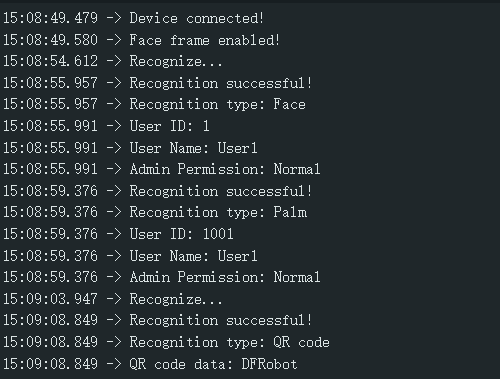
Continuously identify the detected faces, palm prints, and QR codes, and print the corresponding information through the serial port monitor.
Was this article helpful?