
Example Code for MicroPython-Clock Dial
To run MicroPython on the ESP32, you first need to flash the ESP32 firmware, then upload the screen driver (screen.py) and run the clock dial example code (test.py).
Software Preparation
- Download the required MicroPython firmware and screen driver
- Download and Use the MicroPython Compiler
- For more examples and controls, refer to ESP32 MicroPython LVGL Tutorial
Other Preparation Work
1、Flash the firmware using the Flash Download Tool. Note: Unless otherwise specified, the flash address for the MicroPython firmware is "0x00."
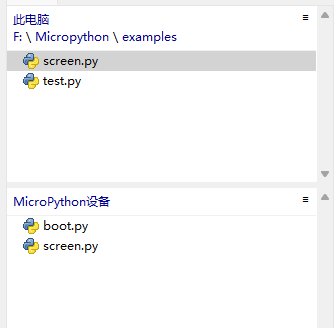
2、Upload the screen driver (screen.py) and run the clock dial example code (test.py)
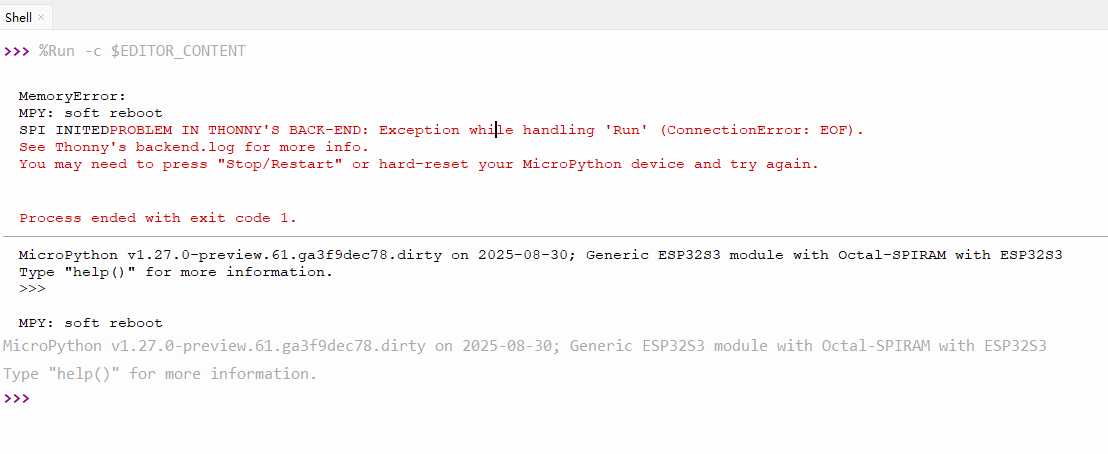
Note: If this error occurs after running the code, try running it again.
Was this article helpful?