
Usage Example for Arduino-Make a Phone Call
Use Arduino UNO and the Gravity: A6 GSM & GPRS Module to make and answer phone calls via AT commands.
Hardware Preparation
- DFRduino UNO R3 + Gravity: IO Expantion Shield (or similar) x 1
- Gravity: UART A6 GSM & GPRS Module x1
- 3.5mm earphone with MIC
- M-M/F-M/F-F Jumper wires
Software Preparation
- Arduino IDE, Click to Download Arduino IDE from Arduino®
Connection Diagram

- TX-Pin10, RX-Pin11
- Please plug the earphone in the earphone jack, if you want to make a phone call.
Operation Steps
- Upload the GSM initialization code (from the previous example) to Arduino UNO.
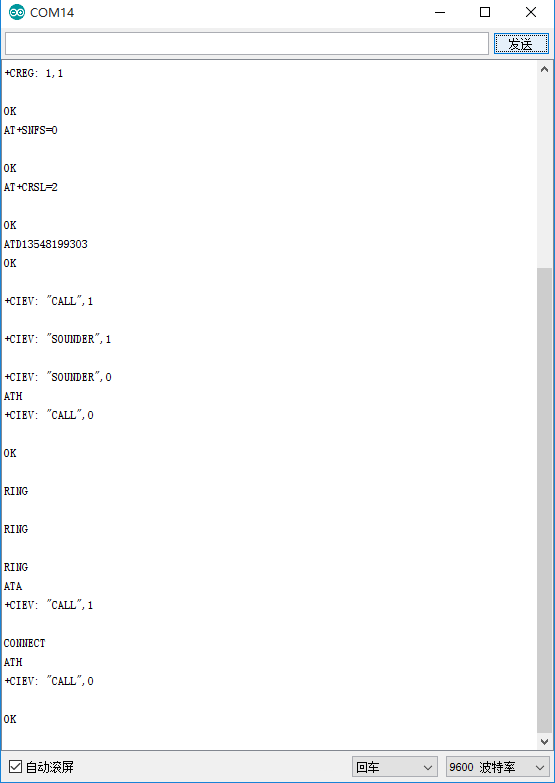
- Open Arduino Serial Monitor (9600bps, Carriage Return).
- Send AT commands to control calls:
- ATD+phone number (e.g., ATD12345678) to initiate a call
- ATA to answer incoming calls
- ATH to hang up
Running Results
Was this article helpful?